Google has given webmasters their final warning to convert their sites to HTTPS or be branded as “Not Secure” with a prominent message in the browser bar of all Chrome and all Chrome-based browsers after October of this year.
Why is Google doing this?
Google has been urging webmasters to switch their sites to the more secure HTTPS security protocol for years, using increasingly drastic measures. Currently, Google is denoting sites that are secure using a green icon in the browser bar. Since so many sites have now adopted the protocol, Google is taking this a step further with a prominent red warning for sites that are not secure.
What does this mean for you?
Internet users don’t give up their information easily. They have to trust that you won’t let their data be breached or misuse their information. If they see that your site is specifically “Not Secure”, they simply aren’t going to trust you with anything.
That could mean increasing bounce-rates for your website, fewer e-commerce sales, fewer newsletter sign-ups, or fewer internet-driven leads for your business.
Two-Stage Roll Out
Rather than “switching on” the security warnings all at once, Google will be rolling out the change in two steps.
First, Chrome will remove the green icon signifying safe websites from browser bars. In its place, they will temporarily leave the small lock icon in its place.
Then, beginning in October, Google will introduce the official red icon identifying sites that are “Not Secure.”
This latest warning from Google gives webmasters plenty of time to make the switch, but I advise taking action sooner rather than later. You can get started right now with Google’s HTTPS set-up guides here.
00Taylor Ballhttps://www.tulsamarketingonline.com/wp-content/uploads/2018/07/TMO-Logo.pngTaylor Ball2018-05-22 14:06:482018-05-22 14:06:48Google Chrome gives its final warning about switching to HTTPS
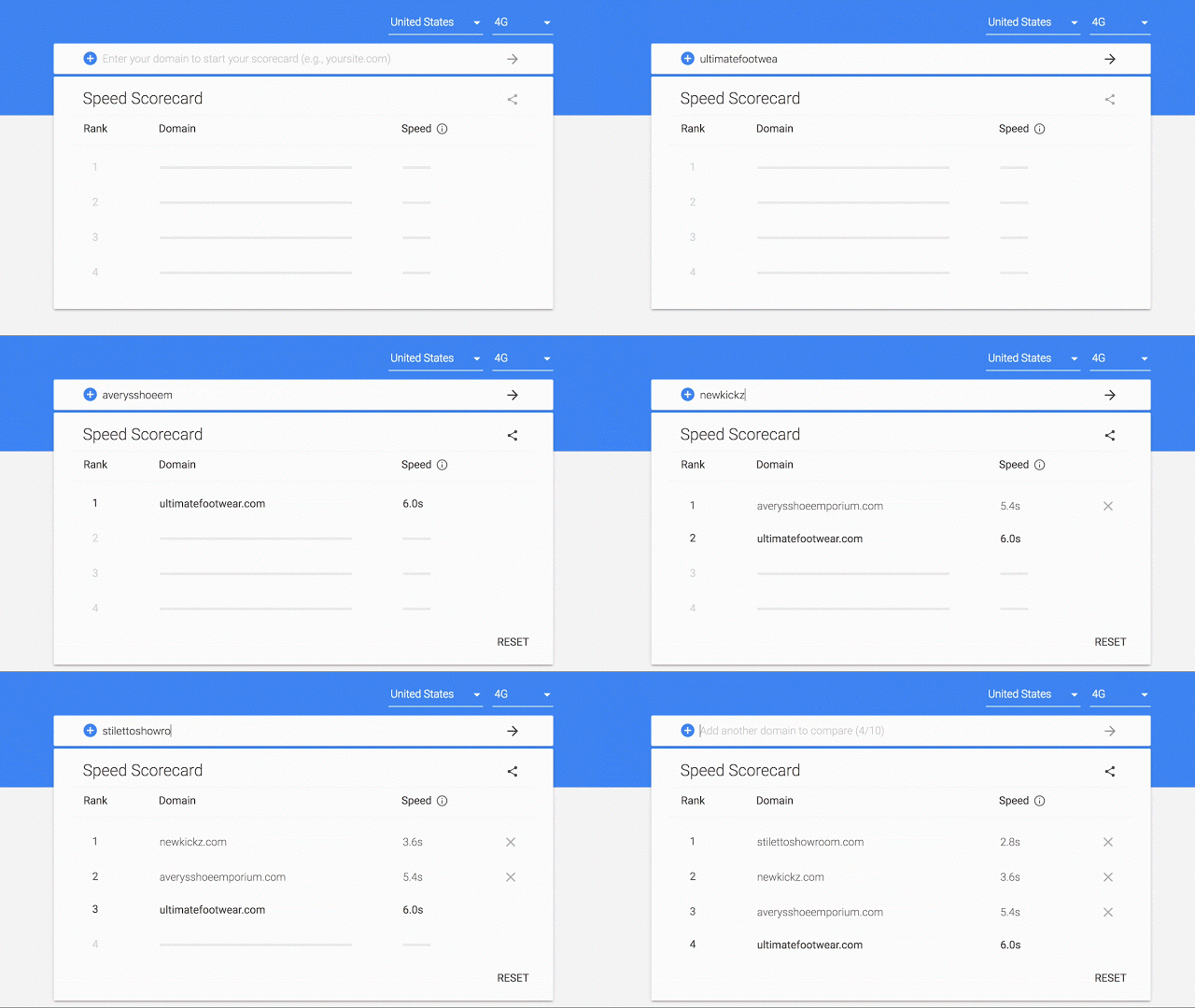
Google has been banging the drum for speeding up mobile websites for what seems like forever now, and they’ve released numerous tools to try to help webmasters do just that. This week, at the Mobile World Congress in Barcelona, the search engine announced two more resources to show websites how they are performing – a new “Mobile Scorecard” and Conversion Impact Calculator.
The tools present marketers and webmasters with visual-heavy depictions of how their website stacks up to the competition and what they may be missing out on by not being quicker to load pages
Google’s Mobile Scorecard
The Mobile Scorecard uses data from the Chrome User Experience Report to compare the speed of several sites on mobile. This allows you to directly compare your site against your closest competitors in a race for the fastest website. According to Google, the Mobile Scorecard can give information on thousands of sites across 12 countries.
Even if you’re the leader of the pack, Google recommends making sure your site loads and becomes usable within five seconds on most mobile devices and within three seconds on 4G connections.
Google Conversion Impact Calculator
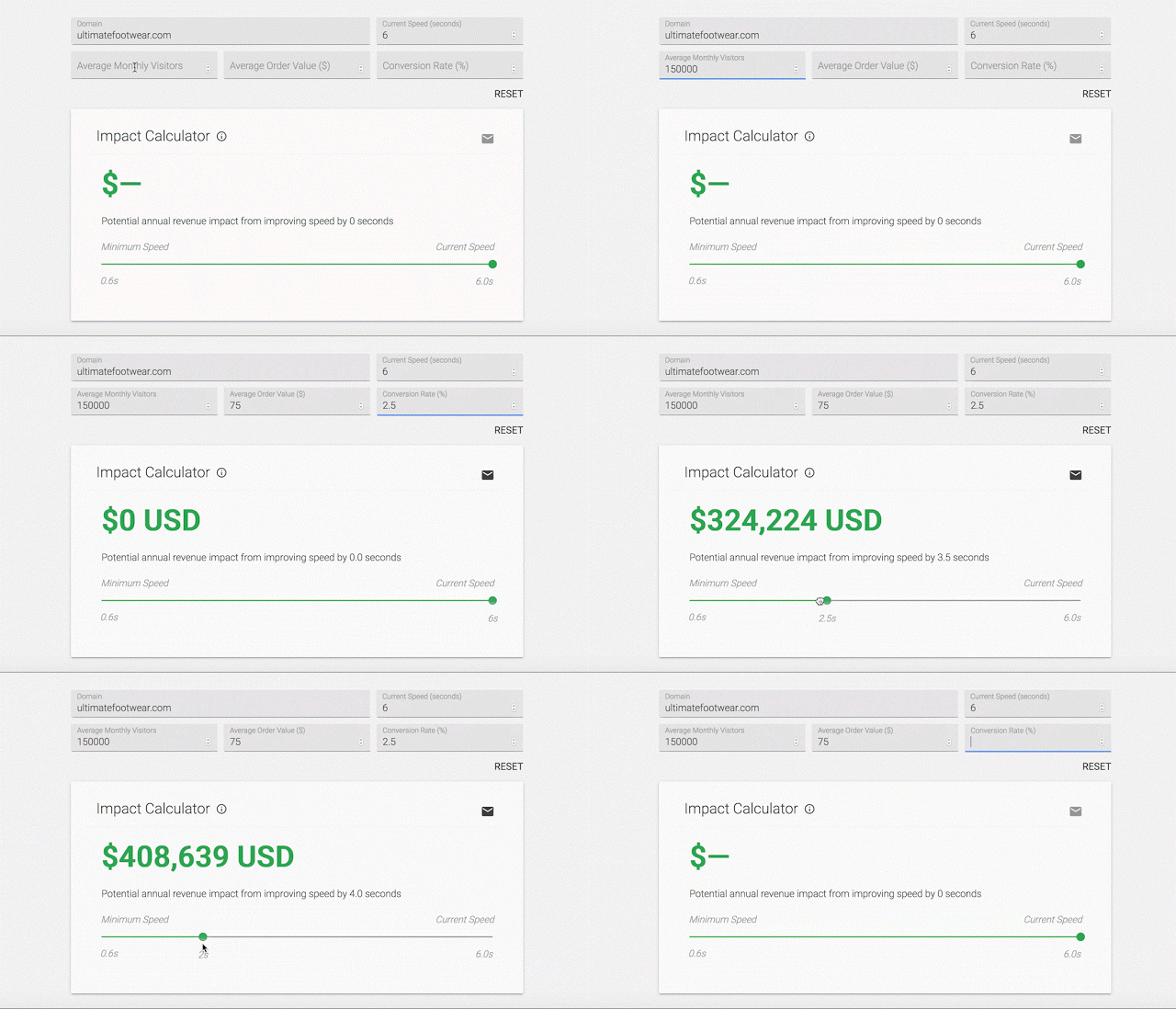
Of course, the biggest thing keeping most businesses from enhancing their websites for mobile devices is money. To help sway you towards making the investment, Google is launching the new Impact Calculator which shows how much revenue you could be missing out on because of a slow loading speed.
The calculator uses data from The State of Online Retail Performance report from April 2017. This report found that every second it takes for your web pages to load can hurt conversions by up to 20 percent.
The tool calculates your potential lost conversion revenue based on your average monthly visitors, average order value, and conversion rate.
Both the Mobile Scorecard and Impact Calculator are available to check out here.
00Taylor Ballhttps://www.tulsamarketingonline.com/wp-content/uploads/2018/07/TMO-Logo.pngTaylor Ball2018-02-27 12:45:532018-02-27 12:45:53Google launches two new tools showing how your site compares to your competition
Starting today, Google’s own web browser will start blocking troublesome ads across the net. The company has been warning they would be launching their own ad blocker since last June, and has officially started rolling out. By default, Google’s Chrome browser will remove ads from sites that use disruptive ad techniques.
“A big source of frustration is annoying ads: video ads that play at full blast or giant pop-ups where you can’t seem to find the exit icon,” said Rahul Roy-Chowdhury, vice president for Chrome. “These ads are designed to be disruptive and often stand in the way of people using their browsers for their intended purpose — connecting them to content and information. It’s clear that annoying ads degrade what we all love about the web.”
What is getting blocked?
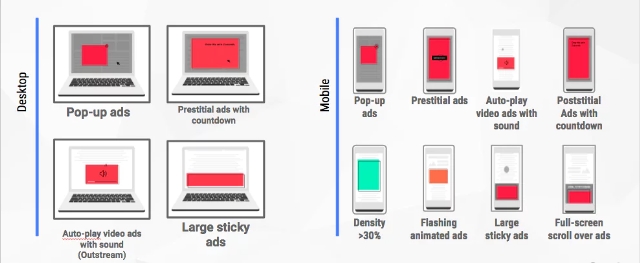
The built-in ad blocker is designed specifically to filter out ads on any sites that repeatedly show offensive or disruptive ads. These include a wide swath of frequently used ad techniques including pop-ups, prestitial ads, and flashing banner ads.
Google is using the guidelines laid out by the Coalition for Better Ads (CBA) – a collective of advertising and media companies such as Facebook, Microsoft, and Unilever.
Rather than just block the offending ads, the tool will instead block ALL ads on any site that has broken the rules repeatedly. That means, all ads get stripped away is a publisher continues to let intrusive ads persist on their site after a warning.
Chris Bentzel, engineering manager for Chromium (an open-source version of Chrome), says Google is using this approach because webmasters are largely in control over what ads they choose to display.
“Although a few of the ad experiences that violate the Better Ads Standards are problems in the advertisement itself, the majority of problematic ad experiences are controlled by the site owner — such as high ad density or prestitial ads with countdown,” said Bentzel.
According to Bentzel, Google’s mission isn’t to block ads at all. They want to encourage webmasters to clean up their sites and deliver quality, unintrusive ads (like those offered by Google AdWords).
“Our goal is not to filter any ads at all but to improve the experience for all web users.”
According to The Guardian, approximately 42% of sites that have received warnings from Google ahead of the ad blocker have since altered their ad displays.
Why start blocking ads now?
The news that Google was designing its own ad blocker raised eyebrows when it was first announced. Considering Google runs perhaps the largest ad platform online, it is a bit like the pot calling the kettle black for the search engine to complain about ads.
More likely, the decision to launch an ad blocker of their own was motivated by the growing use of third-party ad blockers across the internet. While some ad blocker companies have partnered with Google to “whitelist” the ads from the search engine, many also strip out ads published from AdWords. This cuts into Google’s potential ad reach and can cause ad spend waste in some cases.
“We’ve already seen more and more people express their discontent with annoying ads by installing ad blockers, but blocking all ads can hurt sites or advertisers who aren’t doing anything disruptive,” said Roy-Chowdhury.
Estimates from PageFair indicate approximately 11% of internet users have third-party ad blockers installed.
“By focusing on filtering out disruptive ad experiences, we can help keep the entire ecosystem of the web healthy, and give people a significantly better user experience than they have today,” Roy-Chowdhury said.
For now, Google estimates its ad blocker will only affect around 1% of all ads. So, don’t get your hopes up for an ad revolution. Most users are unlikely to notice a huge change online, and only those who are most egregiously abusing the rules are expected to be hit.
00Taylor Ballhttps://www.tulsamarketingonline.com/wp-content/uploads/2018/07/TMO-Logo.pngTaylor Ball2018-02-15 11:31:252018-02-15 11:31:25Google launches its own ad blocker for Chrome
The importance of Google reviews has recently gotten a big boost, as it appears that the number of rankings your business has on Google My Business may play a big role in determining where you appear in the local search results. Thankfully, it appears you won’t have to rely solely on Google for your reviews in the future.
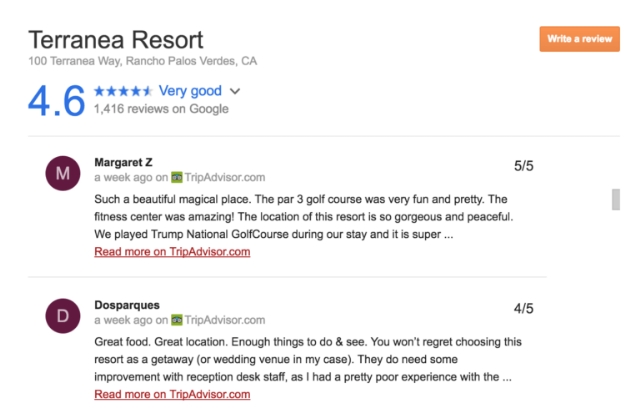
Google has begun integrating reviews from third party sources like Trip Advisor and Booking.com into their Knowledge Graph cards for Google My Business Listings. That means your reviews from these sites will be shown alongside your Google reviews, all in one convenient place for shoppers.
The reviews can also be filtered by source by clicking on the “All reviews” drop-down menu.
Currently, the sites being integrated are most beneficial for hotels and other similar travel-related businesses. It is unclear when or if more review services will be included in the future.
As Search Engine Land notes, this is not Google’s first foray into using third-party review sites directly within their search results. The search engine got into a lengthy legal battle against Yelp for scraping their reviews and displaying them in the search results without permission. The result was that Google agreed to only use third-party reviews in their search results with explicit permission from the publisher.
Based on this, it is all but certain Google is working closely with these outside sites to integrate their reviews.
The biggest question for now is whether these reviews will also be reflected in local optimization. If so, businesses that have been accumulating reviews on third-party sites may expect a big boost to their local rankings in the near future. Only time will tell.
Everyone wishes there was a simple recipe to guarantee you’ll rank at the top of the search engines, but Google’s Gary Illyes says there is no such thing. In fact, there isn’t even a consistent top-three ranking factors for all content.
Instead, Illyes explains that the top-ranking factors for web pages vary depending on the query being searched. Going by that thought process, factors like links might be used to verify that something is newsworthy, while page speed, content quality, and keyword usage may be more useful for some types of content.
I didn't give a top 3. I actually said that it very much depends on the query and the results which signals count more
John Mueller, also a big figure at Google, joined the discussion to suggest that worrying about optimizing for specific ranking factors is “short-term thinking.”
The algorithms try to show relevant & awesome results to users' queries. Everything else varies. Opt'ing for factors is short-term thinking.
Surprisingly, Illyes takes it even further by saying that links – often viewed as one of the most important signals for a website – are often not a factor in the search results at all. Long-tail search queries, in particular, are likely to pull up content with few to no links.
I also said at Brighton there are tons of top results that don't have links at all. billions of queries a day, lots of long tail w/o links
While this can be discouraging to brands or businesses looking for specific ways to improve their site and rank higher, the overall message is clear. A holistic approach that prioritizes people’s needs and desires is bound to benefit you, while myopically focusing on specific factors is bound to eventually leave you left behind.
As Mueller suggests – if you build something awesome, Google will come.
00Taylor Ballhttps://www.tulsamarketingonline.com/wp-content/uploads/2018/07/TMO-Logo.pngTaylor Ball2017-09-22 12:04:512017-09-22 12:04:51Google says there is no perfect recipe for optimization
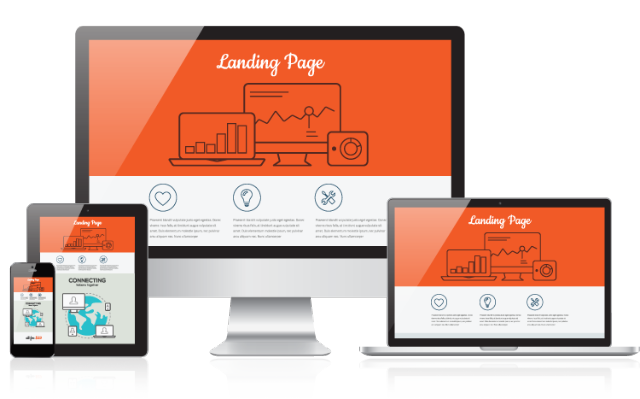
No matter how good your marketing or advertisements are, you can’t succeed online without a great landing page. Whether you’re landing page is irrelevant to people’s interests or it is just too slow or cumbersome for mobile users, your potential customers are going to bounce back to the search results if they can’t get to what they need quickly.
Of course, no one intentionally sets up a bad landing page. Sometimes, you just can’t see what’s not working without an extra set of eyes to show you the problems you’ve overlooked. Thankfully, Google is helping give you exactly that, with a new Landing Pages tool designed to identify why specific landing pages need improvements.
The Landing Pages tool, which was announced earlier this year, is rolling out for advertisers over the next few weeks.
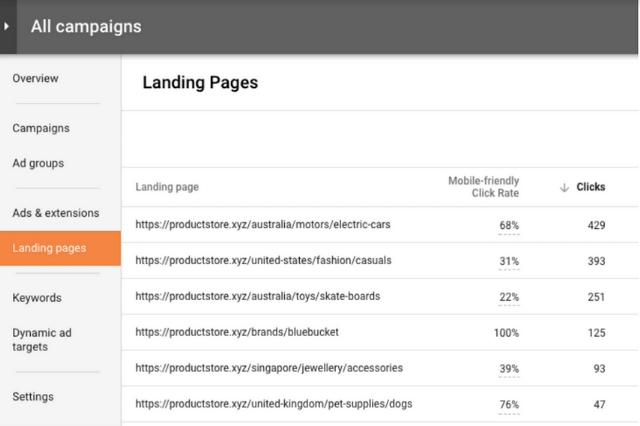
With this tool, you can quickly assess your landing pages based on the amount of engagement (clicks) each URL receives, as well as the “Mobile-Friendly Click Rate” (MFCR). The MFCR is a measure of the percent of mobile clicks coming to your landing page from smartphones or other mobile devices.
The new report allows you to identify exactly which landing pages need work. For example, pages that are not optimized for mobile but that receive a high MFCR should likely be improved and optimized to prevent high bounce rates.
Once it is completely rolled out, the Landing Pages tool will be able to provide data on landing pages for search, display, and video campaigns. However, currently, the MFCR data is only available for search campaigns.
00Taylor Ballhttps://www.tulsamarketingonline.com/wp-content/uploads/2018/07/TMO-Logo.pngTaylor Ball2017-09-05 13:45:312017-09-05 13:45:31Quickly identify your bad landing pages with Google’s Landing Pages tool
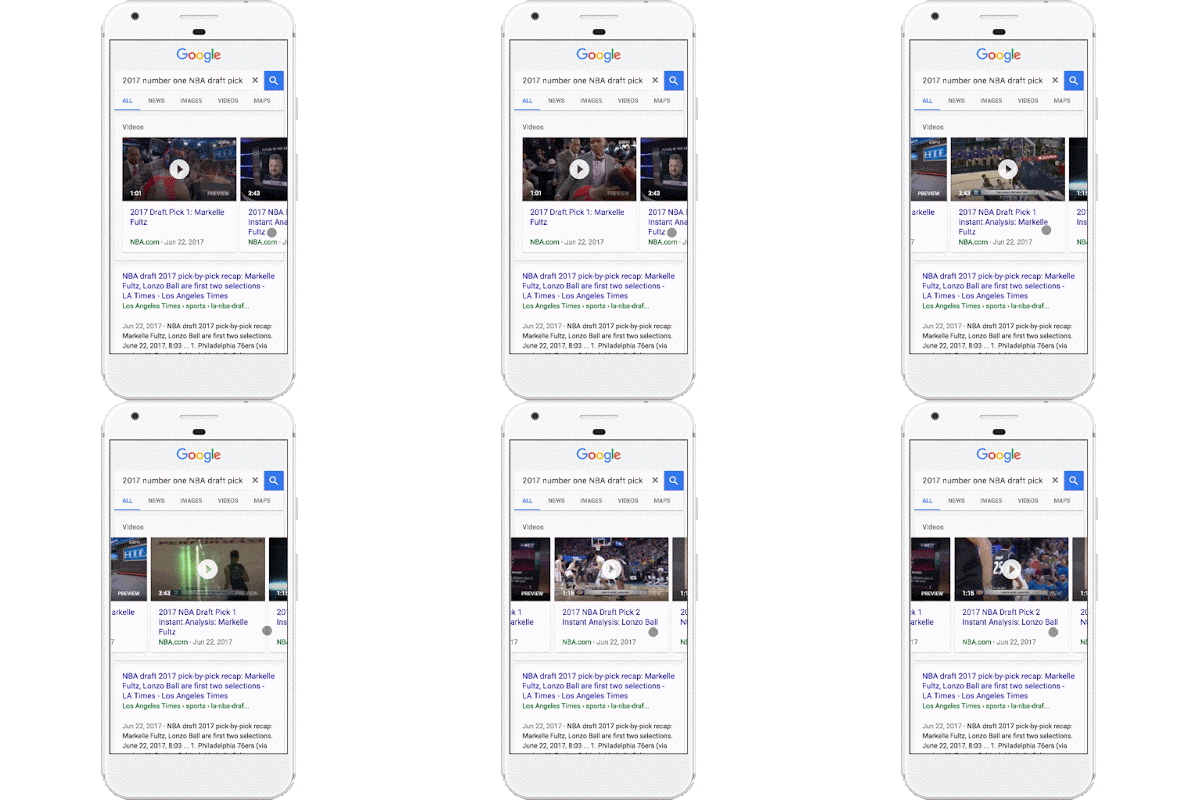
Google has been testing the waters with putting autoplay videos in search results for a few weeks, and today they made it official. The company announced a less intrusive (and less annoying) version of autoplay videos are being rolled out to search results starting today.
The videos will take the place of the static images that have been shown as a “preview” for video search carousel results, such as when YouTube videos are shown in the results.
You can see what this looks like in action in the GIF below:
As the company explains in the announcement, the autoplay videos will help users get a better idea of what videos contain before they decide to click.
”…you now have access to video previews directly in search results, giving you a better idea of what you’re about to watch before you tap.”
If you’re worried about the new feature eating up your data plans on mobile devices, you can breathe a sigh of relief. The search engine says autoplay video previews will only play when you are connected to wi-fi, unless you decide to enable the feature on mobile networks within the settings menu. You can also completely opt-out of the autoplay videos in the same place.
For now, only some using the Google Search or Chrome apps for Android will be able to see the autoplay videos in their searches. The feature will be rolling out to all of these users over the coming week and is expected to be expanded to other devices and search apps in the future.
When it comes to mobile users and the internet, there is nothing more important than speed. Every step between the first click and the final conversion gives users the opportunity to set their phone down, get a call, or just get bored.
That’s why Google is doing everything it can to help businesses streamline the process, including this week’s launch of new “action buttons” that allow people to take action with your business straight from your Google My Business listing.
The new buttons allow you to add links to specific actions, including a variety of options for businesses from a number of industries – most notably service industries like restaurants and retailers. These links will then appear on your GMB listings anytime users see them in the search results.
Possible action URLs can include:
Booking an appointment
Placing an order
Reserving a table
Searching for items
Viewing the menu
Adding an action button to your own GMB listing is easy and just takes a few steps:
Sign in to Google My Business.
Choose the listing you want to edit.
Click into the URLs section.
Enter your URLs in the appropriate fields.
Click Apply.
There is only one minor catch to these buttons. Google says in some cases it will add non-editable, third-party links into these listings when the link relies on a third-party system. The search engine says these links are added because “Google works with select third-party providers that provide booking and ordering services for local businesses.”
In most cases, these links are completely unable to be edited or removed. Google says you can reach out directly to the third-party provider and request the link be changed or removed, but I’d imagine they will be unlikely to comply.
00Taylor Ballhttps://www.tulsamarketingonline.com/wp-content/uploads/2018/07/TMO-Logo.pngTaylor Ball2017-08-15 13:19:222017-08-15 13:19:22Google’s new “action buttons” let customers take action straight from the search results
Google has made it easy for businesses to tell users what accessibility features they provide before they ever visit the store with their latest addition to Google My Business listings.
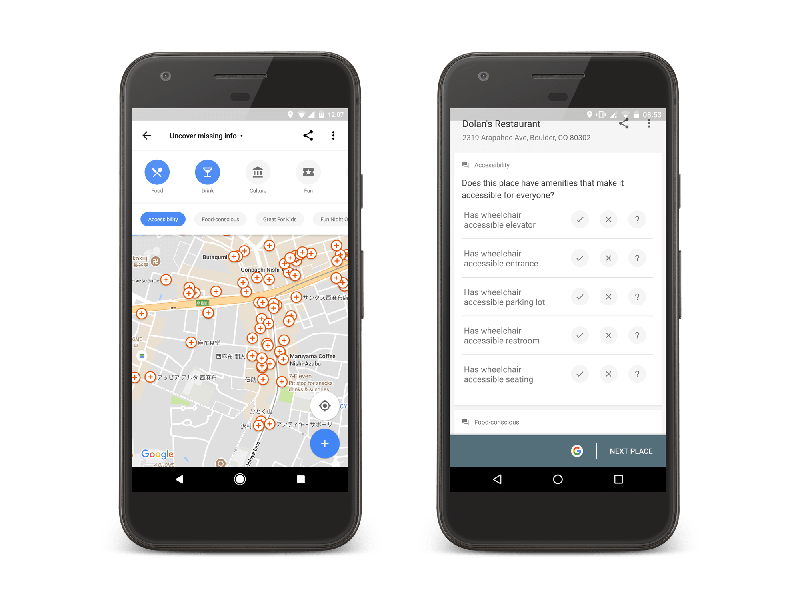
Now, you can add accessibility information about your business or search for places which provide accessibility features like wheelchair ramps and wheelchair-accessible parking.
You can update your listing by simply going to the main menu of Google Maps for Android, pulling up the main menu, and tapping on “Your contributions.” From there, go to “Uncover missing info” and sort by “Accessibility.”
This pulls up locations near you that are missing accessibility information, including your business. Then, you can begin adding accessibility attributes as needed, including:
Wheelchair-accessible entrances
Wheelchair-accessible elevators
Wheelchair-accessible seating, and
Wheelchair-accessible parking
The set-up of the new feature allows any users to add accessibility information about any business they visit, but business owners can take the initiative to update their own listings to alert shoppers about what they offer before they make the trip themselves.
Since the release of the new listing information, Google says users have added accessibility information to almost 7 million places worldwide.
00Taylor Ballhttps://www.tulsamarketingonline.com/wp-content/uploads/2018/07/TMO-Logo.pngTaylor Ball2017-07-12 14:58:232017-07-12 14:58:23Google lets you add accessibility features to your business listings
In an increasingly mobile world, the speed of your website can be a major make-or-break point for any business. Estimates suggest most sites lose half or more of their visitors just while their page is loading because people aren’t willing to wait around.
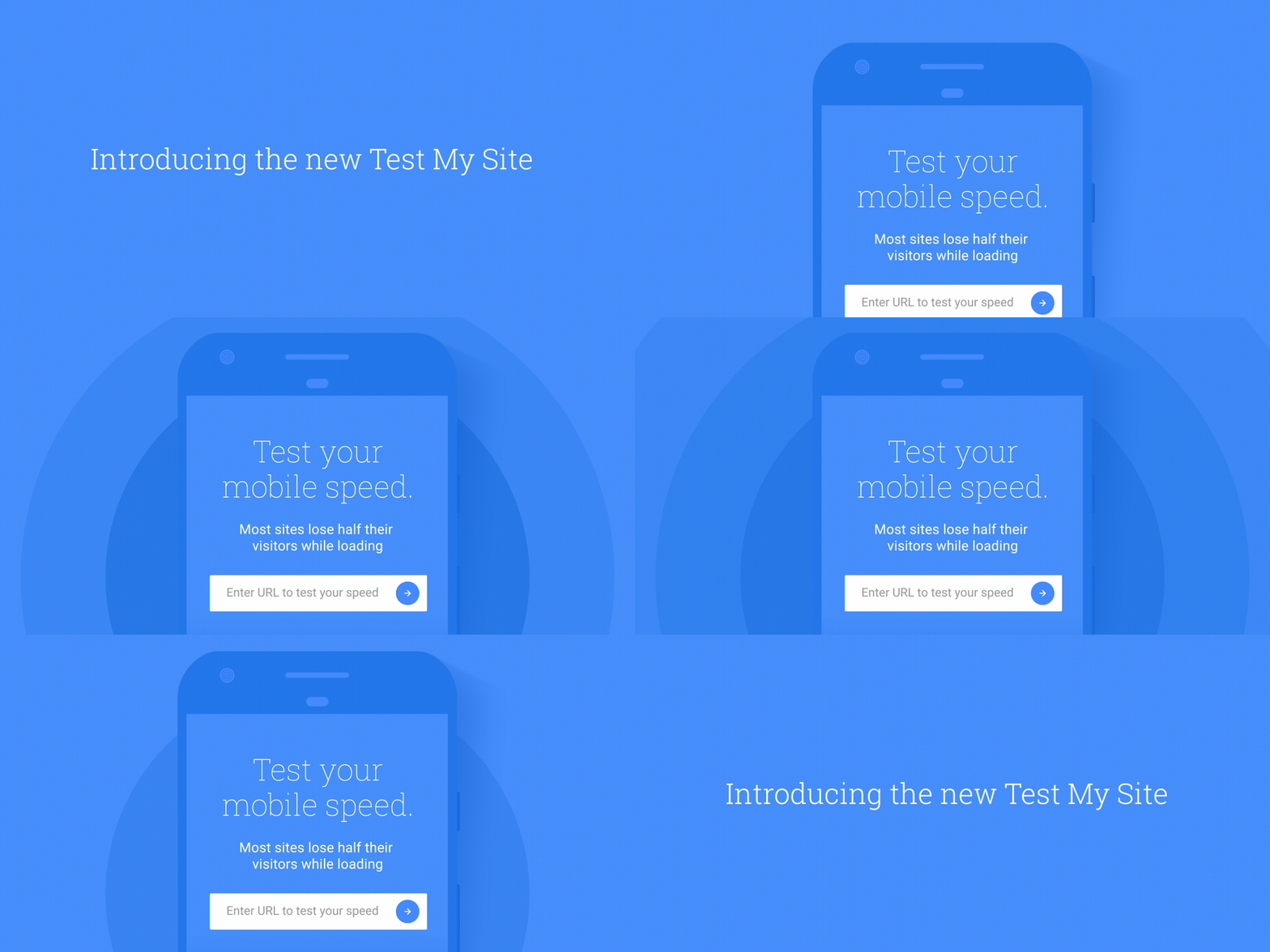
So, how can you fix your site and make it lightning-fast? Google can tell you specifically what you need to do with its Test My Site tool, which just received a new set of features this week.
Now, the tool can tell you a number of things about your site, including:
Your site’s mobile speed
The number of visitors you may be losing
How you compare to the competition
Specific recommendations about how to make your site faster
To show just how effective it can be to make your site faster, Google points to a case study from a Nashville fencing company. According to Google, Yard Dog Fence Company managed to double its sales just by following the recommendations suggested by the Test My Site Tool, such as reducing image size.
The days of waiting around for minutes while a website loads are gone. These days, people are likely to leave if your page hasn’t rendered in five seconds or less. It may seem like a tough challenge to speed your site up that much, but the Test My Site Tool will give you an actionable list made specifically for your site. With that as a roadmap, you’ll be able to make the changes you need to supercharge your site, improve your traffic, and increase conversions.
00Taylor Ballhttps://www.tulsamarketingonline.com/wp-content/uploads/2018/07/TMO-Logo.pngTaylor Ball2017-06-30 09:26:432017-06-30 09:26:43Google’s Test My Site tool tells you how many visitors your website is losing