The popular “Stories” feature that has expanded from its SnapChat origins into Facebook, Instagram, and Twitter has always been known for its short-term lifespan. Stories have always been something that disappears sometime after sharing.

Now, Instagram is changing this with new ways to save and reshare your Stories long-after they’ve vanished from people’s feeds.

Instagram recently launched two updates to its Stories feature that gives users the ability to add Stories to its Archive feature and include Stories in the “Highlights” section of users’ profiles.

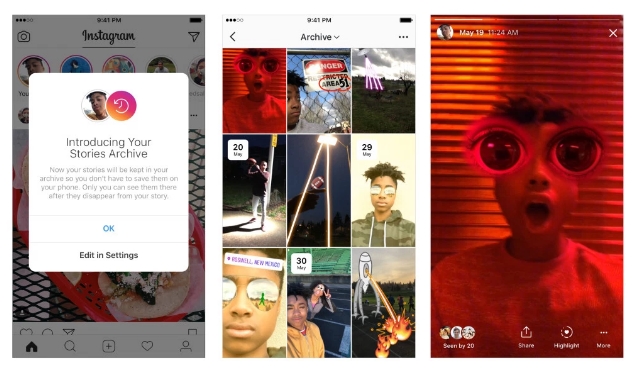
In a blog post, Instagram said that Stories will be automatically saved to users’ private Archives once they expire. From there, you can view or reshare your old Stories as a normal video post or add them to highlights.

The feature is turned on by default, but you can opt to turn off the Archive feature if you like.

Instagram explained, “To access the Stories in your Archive, tap the Archive icon on your profile. From there, you can easily switch between your Posts Archive and your new Stories Archive. In your Stories Archive, your stories will appear in a grid with the most recent Stories at the bottom. The first story from each day will show a date indicator to help you navigate your archive as you scroll. Only you can see your archived stories, and you can choose to turn off auto-archiving at any time in your profile settings.”
At the same time, Instagram has launched the new Stories Highlights section, where users can add Stories to their profiles.

Stories Highlights can be created by simply tapping on the New circle on the far-left side of the app. After that, just choose which Stories you want from your archives, select a cover for the Highlight, and give it a name.

Once that’s all done, the Highlights will appear as circles on your profile where they can be viewed.

You can add as many Highlights as you want, and they will remain on your profile until you delete them by tapping and holding on the circle.
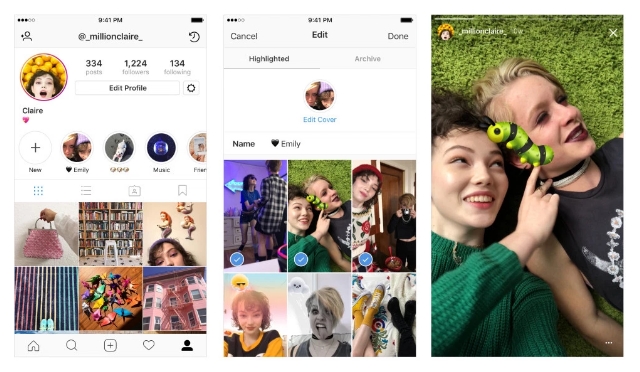
In the blog post, Instagram said: “Over the past year, Instagram Stories has become a key part of how you express yourself—but there hasn’t been an easy way to keep your Stories around for more than 24 hours. Now you can more fully express your identity by grouping Stories you’ve shared into Highlights and featuring them on your profile. Story Highlights lets you show all of the sides of your personality, and you can make highlights out of anything you’ve shared to your story in the past. From the best moments of your ongoing soccer season to all the stories you capture of your loved ones, the interests and activities that matter most to you have a home right on your profile.”

Brands and marketers will likely find these new features provide a number of ways to make Stories a more powerful marketing tool. In an email to Social Pro Daily, Instagram suggested brands can take advantage of the tools by:

  • Extending campaigns and promotions beyond 24 hours.
  • Showcasing immersive video and behind-the-scenes content on the increasingly significant profile page.
  • Re-engaging people around best-performing Stories content.
  • Sharing customer reviews
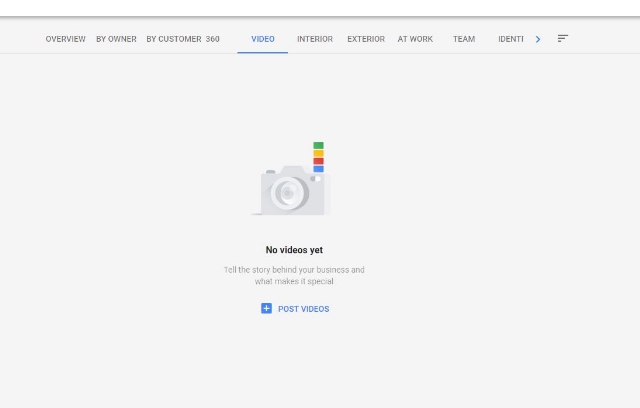
Business owners may be able to upload videos to their Google My Business accounts in the near future, based on a new feature popping up for some account owners.

Colan Nielsen from SterlingSky noticed that some of his clients now had access to a new panel for uploading videos showcasing their stores or products.

Several others have since reported seeing the option appearing in their own accounts, however, not everyone says they can use the feature quite yet.

For now, it is unclear whether the feature is just one of the many tests Google runs on a regular basis or a slow rollout of a widely anticipated feature. Google has yet to release a statement on the issue.

It’s worth noting that this isn’t the first time videos have started showing up in GMB accounts. During the earlier years of Google My Business, Google included a similar video upload option. The tool disappeared long ago.

Since then, Google has allowed “Local Guides” – volunteers who help Google gain in-person information about businesses – have been able to upload videos to local listings. Actual business owners or account operators have not been able to until now, though.

While many can already upload videos, few have reported actually seeing their videos show up on their listings yet. When they do appear, videos are likely to be shown under the photos tab, as they do in the listing for Voodoo Doughnut in Portland:

Business owners using GMB have been asking for the ability show videos for years because they can provide a more complete view of both their stores and their products. Hopefully, the appearance of this feature for some is a sign of a much wider roll-out coming soon.

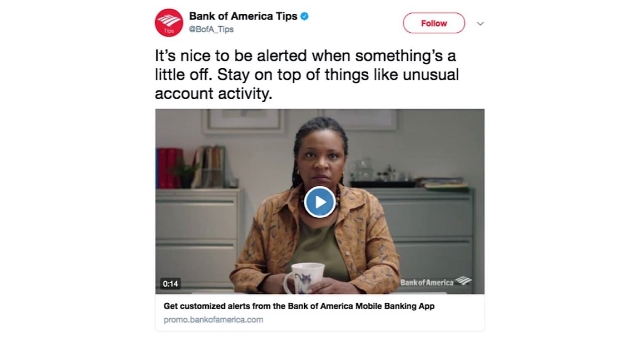
Twitter has released a new type of video ad called the Video Website Card, which is aimed at helping advertisers drive traffic to where they need it most.

Twitter Video Ads

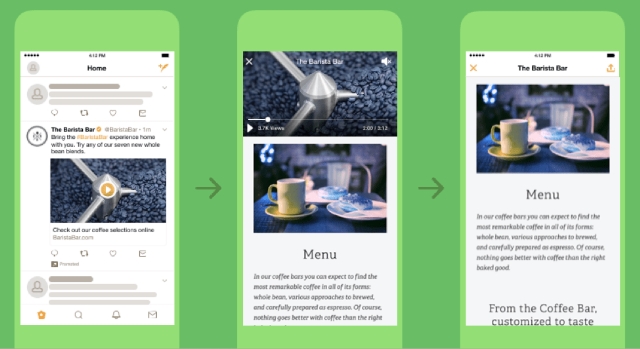
The new ad unit uses a multi-faceted approach to help streamline the process of directing users to your site, mobile app, or any other place you want.

It starts with an auto-playing video ad which Twitter says drove twice the normal engagement of standard mobile video ads in a beta test.

After the video is over, advertisers can include a clear call-to-action to drive viewers to your preferred location. However, if a user taps the ad while the video is still playing, it will continue to play while the website loads. Twitter claims this increases user retention by over 60% because it keeps users engaged while waiting for your site to load.

As you would expect, the ad unit also includes a customizable headline and a destination URL. You can also optimize the Video Website Card for your specific goals, such as video views, website clicks, or awareness.

The ad unit is already available to all Twitter users around the world, so you can start testing the new Video Website Cards today.

It may not come as a surprise that Facebook favors native videos, but a new report shows just how much of a boost videos can get by being uploaded straight to the social media platform.

According to Quintly, native videos on Facebook get up to 530% more comments than videos shared from other sources like YouTube.

The report comes from a study originally published back in March, but which has been recently updated with data collected between January and July of this year.

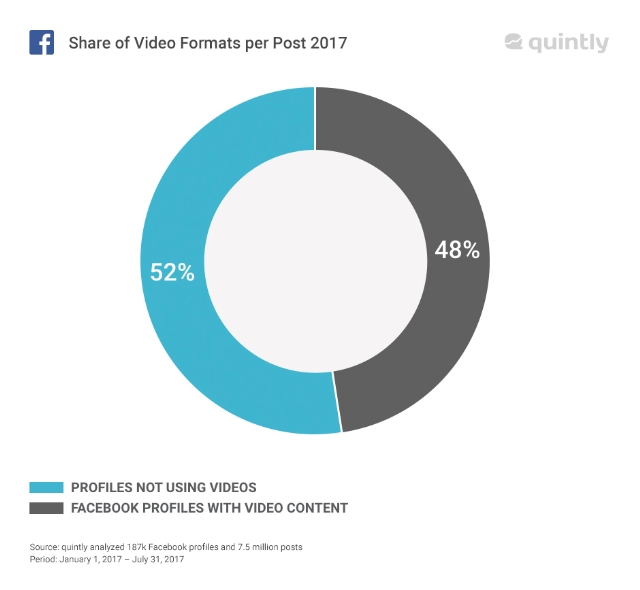
Including the new data, the study analyzed 187,000 Facebook pages and 7.5 million posts. From all this data, Quintly says it deduced that approximately 92% of all videos on Facebook are uploaded natively.

The study also shows how video has grown on Facebook recently. From January to July, almost half (48%) of all pages analyzed uploaded a video to their timeline. Of those, 92% posted at least one Facebook native video or Facebook Live video.

In comparison, only 26% of pages analyzed posted YouTube videos and 7% shared videos from Vimeo or other sources.

Facebook video’s biggest competition still comes from YouTube, but Facebook’s own clips still trounce all others in every metric.

Native Facebook videos received 168% more interactions – reactions, comments, or shares – compared to YouTube videos. They also received eight times more comments and 477% more shares.

It is highly likely that part of Facebook’s domination here is that it owns the platform, and thus, makes the rules. Facebook is almost certainly showing their own videos more prominently, which would lead to more engagement.

However, that is not the whole explanation. Native videos on Facebook’s platform also enjoy several arguably natural benefits that make them more likely to be viewed and engaged with. They can be played seamlessly from your timeline and users can react or comment as they’re watching.

In comparison, videos from other platforms have to be viewed off-site or in a separate pop-up player, and then navigate back to their timeline to like, share, or comment. At that point, they might decide to move on and keep scrolling through their feed.

Whatever the reason for native video’s domination on Facebook may be, it is clear that posting your clips directly to Facebook is the most effective way to get seen and build your brand on social media.

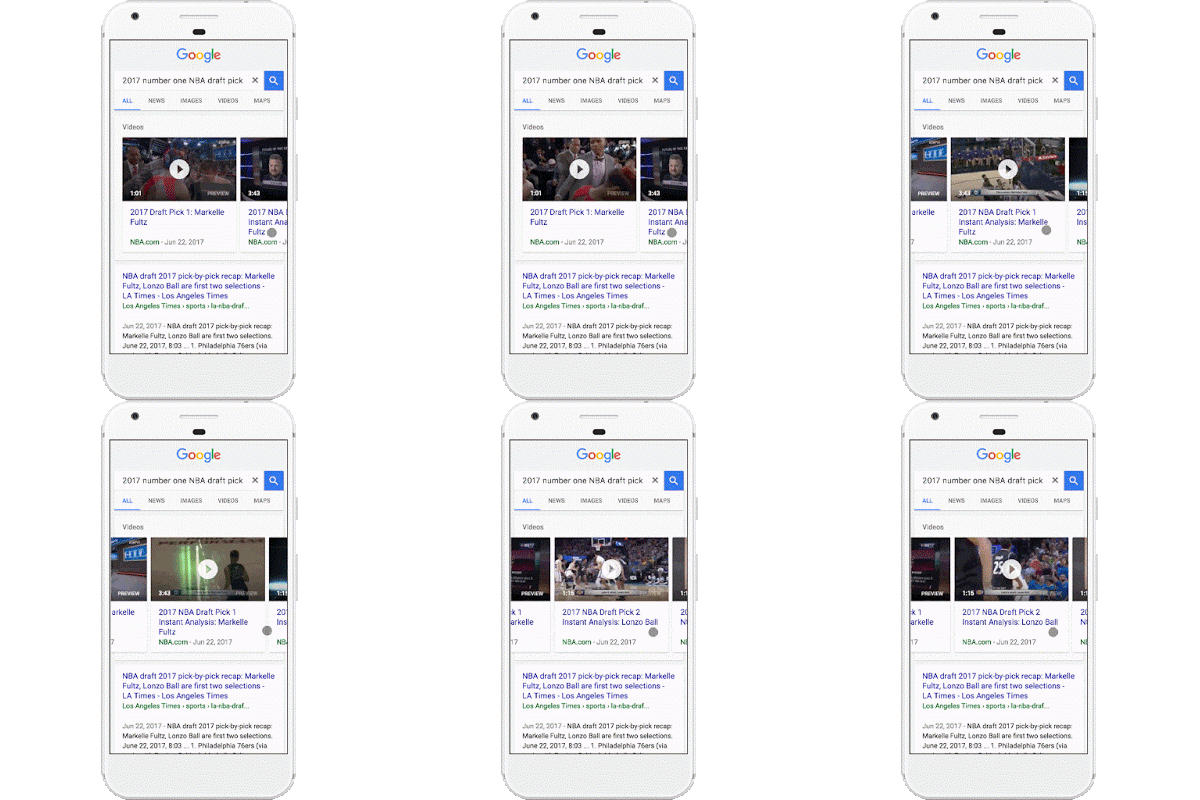
Google has been testing the waters with putting autoplay videos in search results for a few weeks, and today they made it official. The company announced a less intrusive (and less annoying) version of autoplay videos are being rolled out to search results starting today.

The videos will take the place of the static images that have been shown as a “preview” for video search carousel results, such as when YouTube videos are shown in the results.

You can see what this looks like in action in the GIF below:

As the company explains in the announcement, the autoplay videos will help users get a better idea of what videos contain before they decide to click.

”…you now have access to video previews directly in search results, giving you a better idea of what you’re about to watch before you tap.”

If you’re worried about the new feature eating up your data plans on mobile devices, you can breathe a sigh of relief. The search engine says autoplay video previews will only play when you are connected to wi-fi, unless you decide to enable the feature on mobile networks within the settings menu. You can also completely opt-out of the autoplay videos in the same place.

For now, only some using the Google Search or Chrome apps for Android will be able to see the autoplay videos in their searches. The feature will be rolling out to all of these users over the coming week and is expected to be expanded to other devices and search apps in the future.

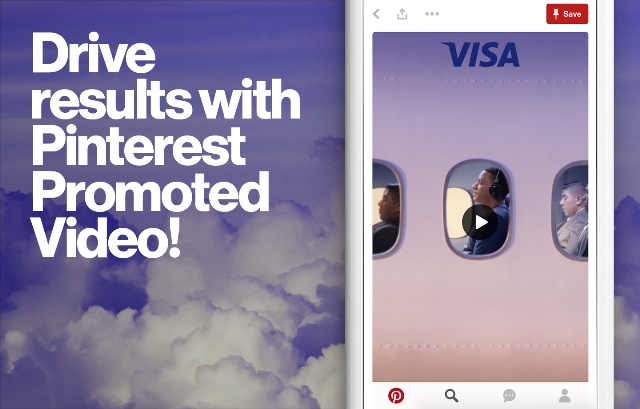
Pinterest has seemingly been testing autoplay video ads forever, but most advertisers haven’t been able to get in on the fun. The video ads were limited to just a small number of big advertising firms and massive brands, while local businesses or small brands made do with picture-based ad formats.

That all changed this morning when Pinterest announced its Promoted Video ads are now officially available to everyone. Anyone can sign up and start running their own autoplay video ads on both search results and within users’ feeds.

Unlike other platforms like Facebook or Twitter, Pinterest is avoiding providing analytics for the ads through their own measurement systems. Instead, they are aiming to avoid potential conflicts of interest by partnering with third-party metrics companies Moat and Nielson.

“One of the unique differentiations for video on Pinterest was that it’s not only about inspiration, but it also helps people do things,” Mike Bidgoli, product lead at Pinterest, told AdWeek. “Obviously the format moved to autoplay, which made it easier for advertisers to be able to buy and measure the same way that they are with everything else. The overarching point is that we wanted video to have third-party measurement from the get-go.”

The company also says that carrying your existing video campaigns over to Pinterest is simple because they follow “the same creative standards as the rest of the industry.”

You can get started sharing your own video ads on Pinterest through their self-serve service, Pinterest Ads Manager.

For years, the only way to advertise on Snapchat was by spending hundreds of thousands of dollars to work directly with the company for custom advertising. Gradually Snapchat has been opening the doors to advertisers, but still require interested businesses to work with third-party partners to purchase ad space.

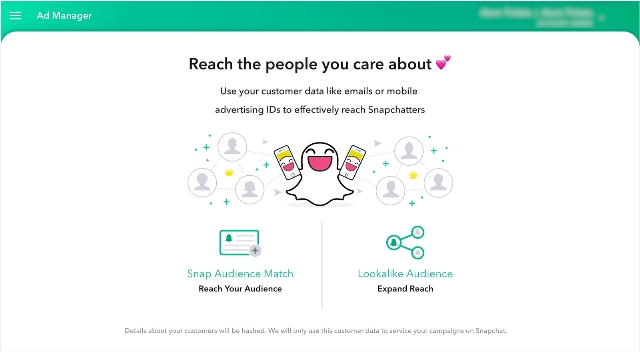
Starting this June, that all changes. Snapchat is preparing to throw the doors open to businesses of all sizes and budgets with a new self-service ad manager and Snapchat Mobile Dashboard.

Combined, these new tools allow any business or publisher to create and track video Snap Ads from anywhere. Most importantly, they also simplify the process so that anyone can get involved – instead of just high-level advertisers with massive marketing budgets.

Compared to other social ad platforms, Snapchat’s Ad Manager still looks to be relatively limited. For example you can’t directly purchase Sponsored Geofilters or Lenses through the tool, however, there is a separate self-serve tool for geofilters. However, it is a significant step forward for the platform that has always seemed like a walled garden when it comes to advertising.

In addition to the new Snapchat Ad Manager and Mobile Dashboard, the company is releasing Snapchat Business Manager to let you control permissions and roles for team members helping publish and monitor your ads. All three will be available in June to everyone in the U.S., U.K., Canada, France, Germany, Australia, and select other countries.

YouTube Live

YouTube is arguably the largest online video platform on the internet (though Facebook is providing some tough competition), so it is interesting that the platform has been one of the slowest to provide a widely available way to live stream.

That may be starting to change, however, as YouTube is significantly lowering the number of subscribers a user needs before being able to stream.

YouTube only introduced its public live streaming feature back in February, although it has partnered with large events to provide live streams for years. Even then, a user needed to have at least 10,000 subscribers before they were allowed to start streaming.

Over the past week, that threshold was quietly reduced to just 1,000 subscribers. Rather than announce the change, it was only discovered after a change to one of YouTube’s help pages.

The subscriber requirement is just one of a couple different stipulations required for streaming. Users must also have a verified channel and have not received any live stream restrictions in the past 90 days. Live stream restrictions are punishments placed against channels that have violated YouTube’s terms of services.

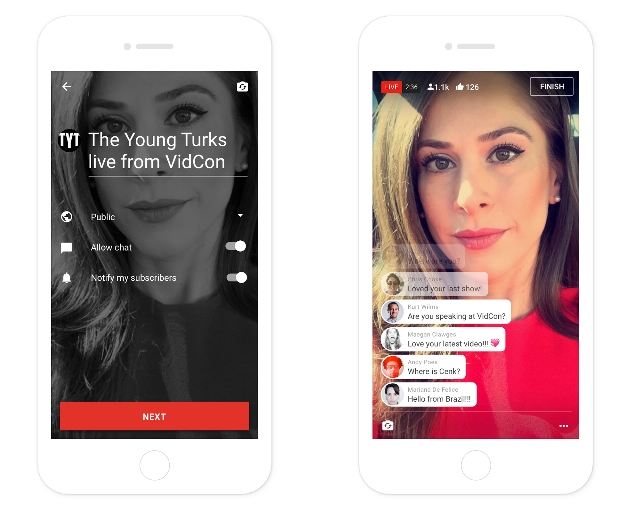
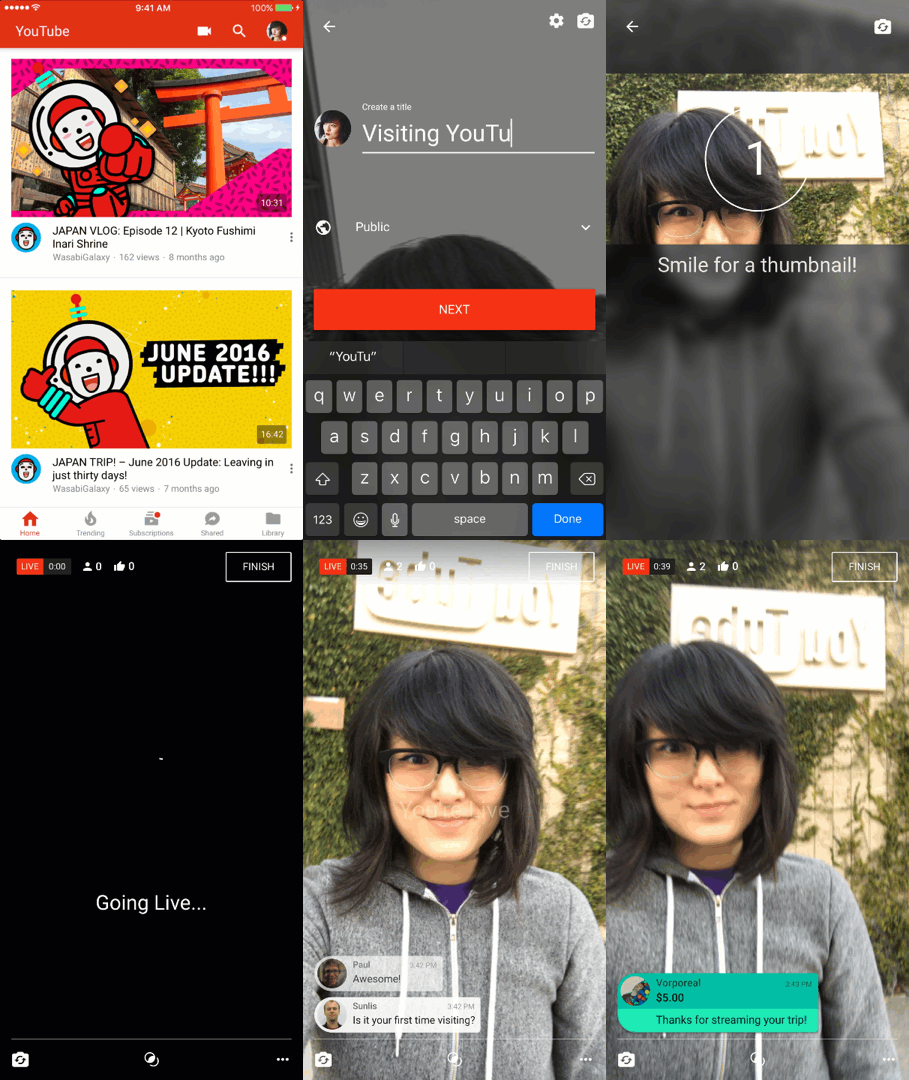
To start a live stream, follow these simple steps:

  • Tap the camera icon
  • Grant permissions allowing the YouTube app to access the Camera, Mic, and Storage.
  • Verify your account if you have not previously.
  • Tap GO LIVE.
  • Name your live video and set the privacy setting for your stream
  • Tap FINISH when you’re ready to end the stream

YouTubeAds

Finding the right length for video ads can be a tricky balancing act. Too short and you can’t get your message across. Too long and you annoy or lose your viewers’ interest. Apparently, 30-second ads fail this tightrope walk, as YouTube has officially announced it will be doing away with 30-second unskippable ads starting next year.

In place of these ads, Google says it will focus on more interactive or user-based advertising.

“We’re committed to providing a better ads experience for users online. As part of that, we’ve decided to stop supporting 30-second unskippable ads as of 2018 and focus instead on formats that work well for both users and advertisers,” a YouTube spokesperson told AdWeek via email.

Of course, this doesn’t mean YouTube is ridding itself of all unskippable ads. The platform will still sell 15-second and 20-second ads that don’t give viewers the option to skip to their content. Additionally, viewers are likely to see an influx of six-second “bumper ads” instead of full-length ads that you can skip after five seconds.

Ultimately, 30-second unskippable ads lose too many viewers along the way. Some get distracted during the interval, while others entirely refuse to wait that long for their content. There is still plenty of time to make use of any ad campaigns you’ve been planning, but the decision to move away from this ad format underscores the ineffective nature of the format.

YouTube has been teasing its plans to expand its live streaming services for over eight months, and that plan is finally coming to fruition. The video platform says it is bringing mobile live streaming to its biggest content creators, with plans to share the feature with everyone soon.

YouTube is also releasing a new chat tool known as Super Chat to help creators monetize live streams.

Mobile Live Streaming

YouTube has built mobile live streaming directly into its mobile app, with a single catch. You must have at least 10,000 subscribers to use it. If you happen to already have a sizable following, launching a mobile live stream is as simple as opening the app and tapping the capture button.

The company plans to bring the tool to everyone in the coming months, but there is currently no firm estimate of when to expect it.

In the announcement, YouTube says streamed videos will have all the features you expect from normal YouTube videos. Streamed videos will be:

  • Searchable.
  • Discoverable via recommendations and playlists.
  • Protected from unauthorized use (using Content ID).

Super Chat

To accompany the release of mobile live streaming YouTube has also launched Super Chat, aimed at monetizing live content.

Super Chat essentially lets any viewer purchase a chat message that will be especially prominent in the chat feed and can be pinned to the top of the chat window for up to five hours. Super Chat messages will also be highlighted with a color and other viewers can see the amount paid.

CameoFlow

Super Chat is now live to creators with 10,000 subscribers across 20 countries and viewers in over 40 countries.