Google Lighthouse SEO Audit Tool

Google has announced a new set of tools for its Chrome Lighthouse developers extension that may finally make the tool relevant for both marketers and business owners

The Lighthouse extension is adding SEO audit metrics that make the tool an easy and fast way to see how Google perceives your website and what needs a tune-up.

The browser plugin already contains audits for things like performance, progressive web apps, accessibility, and Google best practices, but the inclusion of SEO metrics make it an all-in-one way to review your website’s performance.

A small (but revealing) look at your SEO

Of course, Google isn’t giving away everything with their tool. It only contains ten of the estimated hundreds of  ranking factors, which Google seems to view as most-essential for the average webmaster.

“The current list of SEO audits is not an exhaustive list, nor does it make any SEO guarantees for Google websearch or other search engines. The current list of audits was designed to validate and reflect the SEO basics that every site should get right, and provides detailed guidance to developers and SEO practitioners of all skill levels.”

Google notes that they expect to add more metrics in the future.

What is included?

The ten SEO ranking factors measured by Google Chrome’s lighthouse extension are:

  1. Meta Viewport Element
  2. Title Element
  3. Meta Description
  4. Page has successful HTTP status code
  5. Links have descriptive text
  6. Page isn’t blocked from indexing
  7. Document has a valid hreflang
  8. Document has a valid rel=canonical
  9. Document uses legible font sizes
  10. Document avoids browser plugins

Do you need it?

The Lighthouse extension’s SEO audit feature isn’t an elite-level tool that takes hours to learn and understand. It is a quick, brief overview of just a few of your site’s SEO signals that might reveal some of the basic things you’ve been overlooking or neglecting. If you haven’t used it, I strongly recommend giving it a try and checking out your site through Google’s eyes.

Retargeting is undeniably a powerful way to reconnect with potential customers and remind them to take action on something they were interested in. Unfortunately, when done poorly, it can also be terribly annoying.

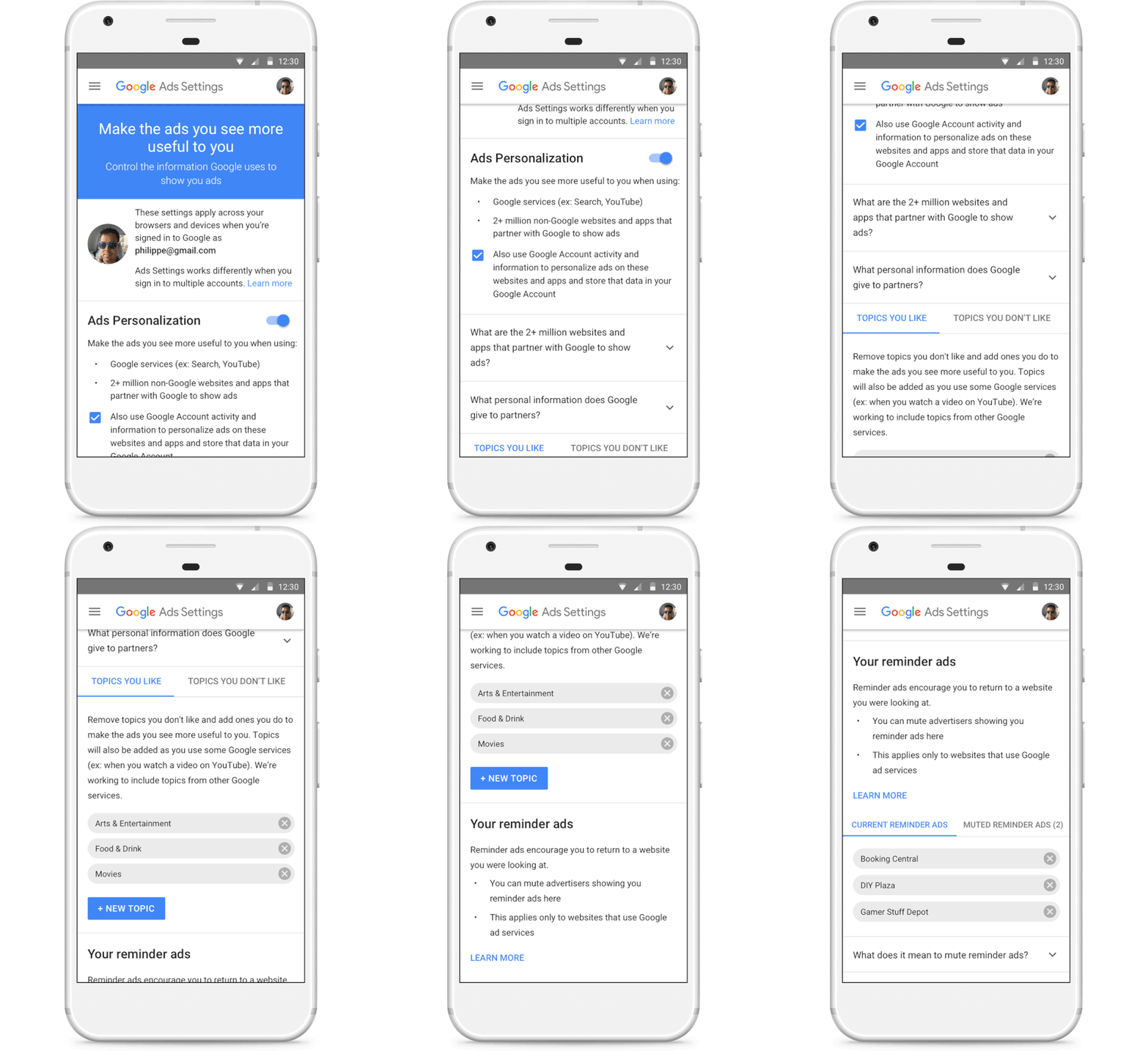
Now, Google is giving users the power to mute ads from brands who abuse retargeting or remarketing ads.

Retargeting ads – or as Google is calling them, “reminder” ads – are designed to gently nudge someone into taking action on a product or service they previously looked at on a website. They work by tracking what pages a user has looked at but not taken action on, then reserving that content in ads afterword.

The problem is that many fail to monitor just how frequently these ads appear to users. This causes a problem where people see an annoying number of repetitive ads that seem to follow them all around the internet.


With the new section in Google’s ads settings, called “Your reminder ads,” you can now see who is retargeting ads to you with Google display ads. You can also mute these advertisers individually is they are showing repetitive or excessive retargeting ads.

If a user mutes an advertiser, their ads will entirely disappear across all of Google’s apps and websites – not just a specific offending ad or campaign. Google says it will soon be expanding this to include YouTube, Search, and Gmail.

The advertiser will be muted for 90 days and can be muted again if desired.

Google also says it has updated the mute feature to sync across devices for logged-in users. This means ads muted on laptop will also be muted on a phone or desktop, and vice-versa.

While users will likely be glad to see this feature, advertisers should take the move as an indication to check their retargeting campaigns. Make an effort to find the “sweet spot” between showing your ads enough times to have an impact without being overbearing. Otherwise, you risk being muted.

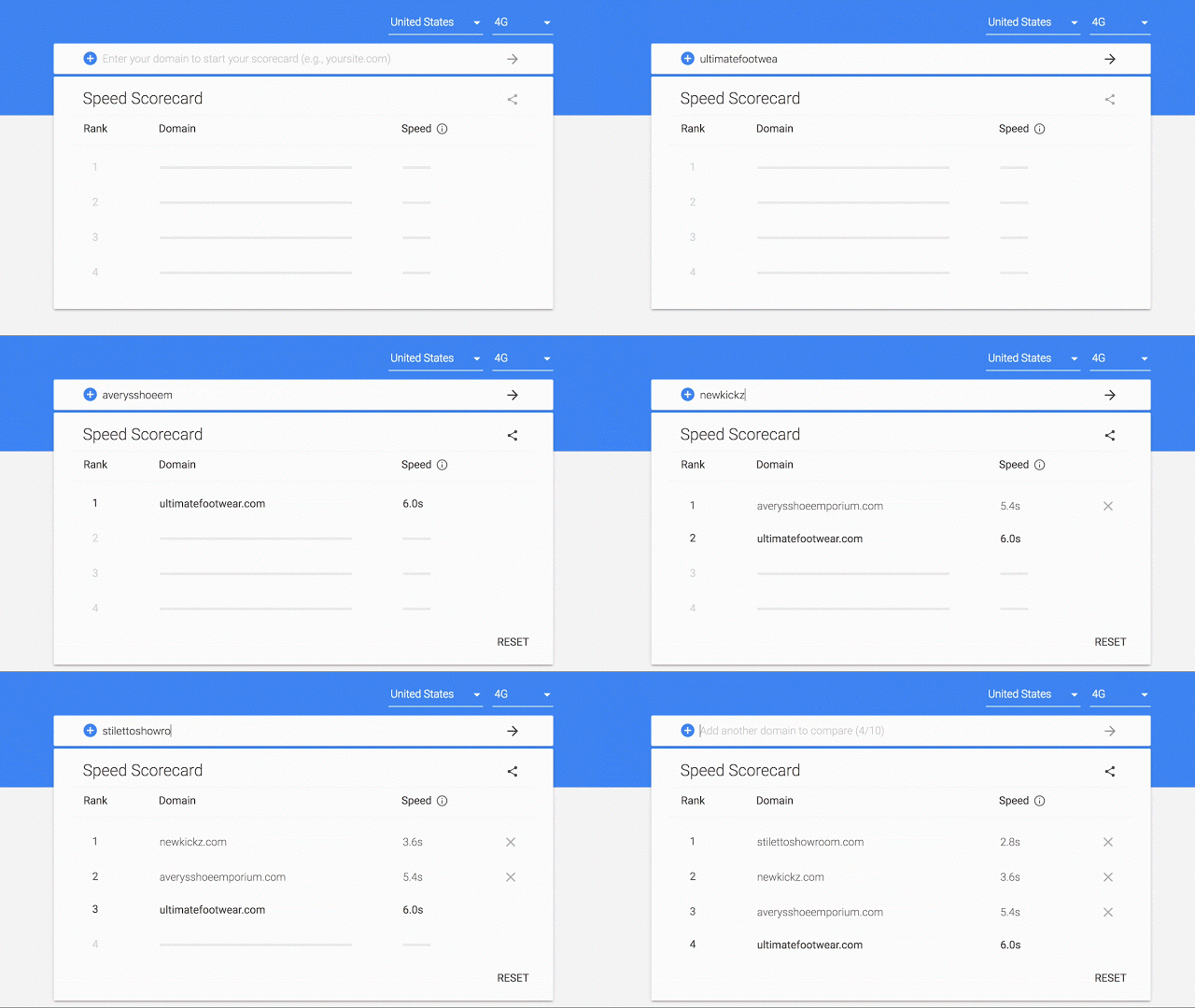
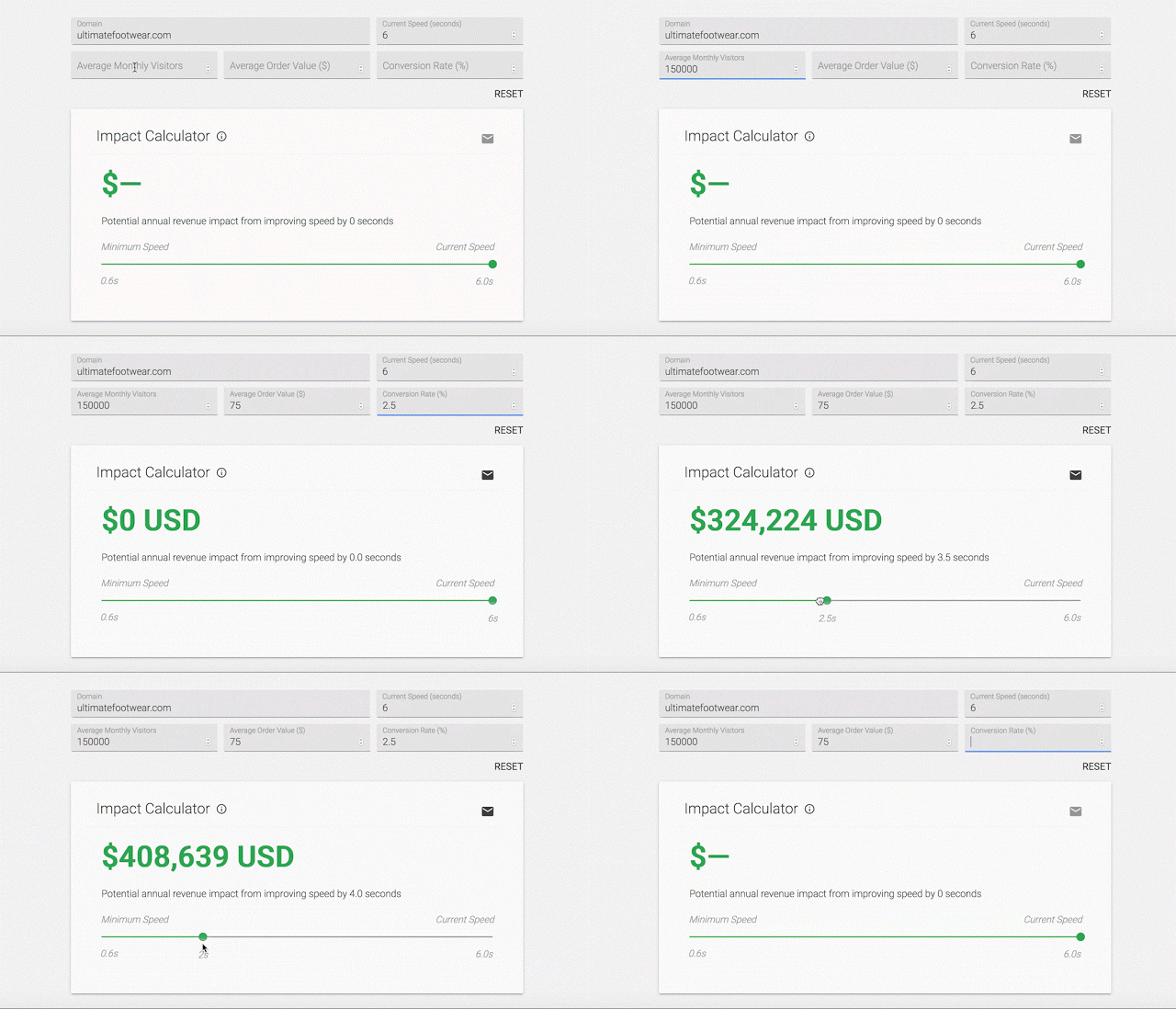
Google has been encouraging webmasters to make their sites as fast as possible for years, but now they’re making it an official ranking requirement.

The company announced this week that it will be launching what it is calling the “Speed Update” in July 2018, which will make page speed an official ranking signal for mobile searches.

Google recommends checking your site’s speed using its PageSpeed report, as well as using tools like LightHouse to measure page speed and improve your loading times.

As Google’s Zhiheng Wang and Doantam Phan wrote in the announcement:

The “Speed Update,” as we’re calling it, will only affect pages that deliver the slowest experience to users and will only affect a small percentage of queries. It applies the same standard to all pages, regardless of the technology used to build the page. The intent of the search query is still a very strong signal, so a slow page may still rank highly if it has great, relevant content.

While Google says the update will only affect a “small percentage of queries”, it is impossible to tell exactly how many will be impacted. Google handles billions of queries a day, so a small piece of that could still be a substantial number of searches.

This is the first time page speed will be made a ranking factor for mobile searches, but it has been a ranking factor on desktop since 2010. It makes sense to expand this to mobile since there is a wealth of evidence showing that mobile users prioritize loading time when clicking search results. If a page doesn’t load within three-to-five seconds, they are likely to leave the page and find another relevant search result.

After a few weeks of testing, Google My Business has officially announced that all business owners can now upload videos to their Google My Business listings.

Business owners can “view videos added by customers and upload videos about their business for customers to view,” said Google’s Allyson Wright.

Videos can be up to 30 seconds in length and may take up to 24 hours to become visible on the business listing in Google Maps and local search results.

Because others like Google’s “Local Guides” can also upload videos to business listings, GMB will also soon give businesses the ability to mark offensive or inappropriate videos on their listings.

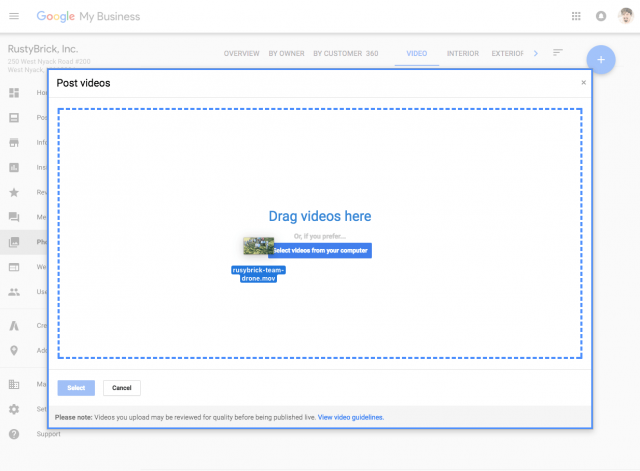
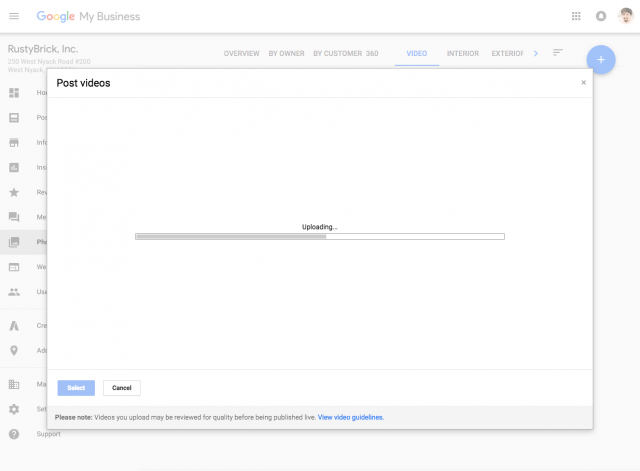
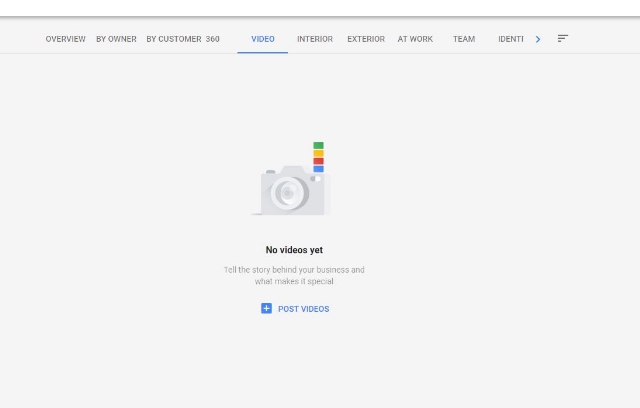
To get started adding videos to your own listings, open your Google My Business Dashboard and click “photos,” followed by the “video” tab at the top of the page. From there, select the option to “Post Videos.”

Just drag and drop your video to the box.

Let it upload.

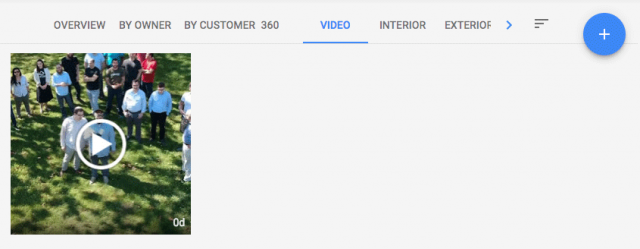
And wait for it to appear. Within about a day, the video should become visible for you and anyone who sees your listing.

Wright also provided these notes about the new feature:

  • Videos will appear in the overview tab of the Google My Business Dashboard.
  • Customer uploaded videos can be found in the “customer” tab.
  • Merchant uploaded videos can be found in the “by owner” tab.
  • All videos can be viewed together in the “videos” tab.
  • After upload, it could take up to 24 hours for the videos to appear. Once live, they will display where local photos do.

Business owners may be able to upload videos to their Google My Business accounts in the near future, based on a new feature popping up for some account owners.

Colan Nielsen from SterlingSky noticed that some of his clients now had access to a new panel for uploading videos showcasing their stores or products.

Several others have since reported seeing the option appearing in their own accounts, however, not everyone says they can use the feature quite yet.

For now, it is unclear whether the feature is just one of the many tests Google runs on a regular basis or a slow rollout of a widely anticipated feature. Google has yet to release a statement on the issue.

It’s worth noting that this isn’t the first time videos have started showing up in GMB accounts. During the earlier years of Google My Business, Google included a similar video upload option. The tool disappeared long ago.

Since then, Google has allowed “Local Guides” – volunteers who help Google gain in-person information about businesses – have been able to upload videos to local listings. Actual business owners or account operators have not been able to until now, though.

While many can already upload videos, few have reported actually seeing their videos show up on their listings yet. When they do appear, videos are likely to be shown under the photos tab, as they do in the listing for Voodoo Doughnut in Portland:

Business owners using GMB have been asking for the ability show videos for years because they can provide a more complete view of both their stores and their products. Hopefully, the appearance of this feature for some is a sign of a much wider roll-out coming soon.

Tweetstorms have grown from a user-initiated trick to get past Twitter’s original 140-character limit into a legitimate feature this week, as Twitter launches a new feature to combine tweets into a longer statement.

In a blog post, the company says the ability to tie tweets into what they are calling a “thread” will be rolling out to all Twitter users “in the coming weeks.”

Since the launch of Twitter, it has been tradition for users to reply to their own tweets to expand on what they want to say. Often, these tweets and replies will be labeled with numbers to make it clear what order to read them in.

Now, Twitter is simplifying the process with a “+” button which lets them continue their thought in a thread. The process can be repeated to make threads as long as users need (up to 25 threads). People will also be able to add tweets to new threads.

Thanks to the new feature, the way tweetstorms or threads are shown in people’s feeds will also be changing. Instead of scrolling through the list of tweets in replies, users can simply click a “show this tread” label to expand the full set of tweets.

The decision to launch the thread feature now is an interesting one. The company has already expanded the maximum length of tweets to allow users to fit more in at a time. With the latest move, Twitter has made it clear that brevity is quickly falling down their list of priorities in favor of more complex conversations.

The Thanksgiving shopping weekend has officially become the biggest social media event of the year, garnering more discussion on Facebook and Instagram than even the most recent Super Bowl.

According to an email from Facebook to Social Pro Daily, more than 130 million people talked about Black Friday, Small Business Saturday, and Cyber Monday this year.

Facebook alone generated more than 226 million interactions from 90 million people about the Thanksgiving shopping weekend, while 52 million talked about the deals and shopping experience on Instagram.

Surprisingly, Black Friday and Cyber Monday weren’t the biggest days of the weekend on social media. Despite being considered the smaller event of the holiday, mentions of Small Business Saturday actually surpassed mentions of Cyber Monday. The day devoted to local small businesses also created two of the top hashtags on Instagram with “ShopSmall and #ShopLocal.

Other notable stats from the weekend according to Facebook:

  • There were more than 450 million views over the weekend on Facebook of videos related to Black Friday and similar topics.
  • Black Friday conversation on Facebook and Instagram was driven by women between 35 and 54.
  • Men between 18 and 34 were more likely to discuss Cyber Monday.
  • More than one-third of Instagram business profiles posted Instagram Stories during the holiday weekend.
  • The top five shopping-related hashtags on Facebook and Instagram over the weekend were: #BlackFriday, #CyberMonday, #SmallBusinessSaturday, #ShopSmall and #ShopLocal.
  • The three most engaged states on Facebook were Kentucky, Indiana, and Tennessee.

Every small business person knows there is no marketing quite as powerful as word-of-mouth. No matter what you promise in your ads, it won’t pack quite the punch as a positive, well-written review for your business. But, what if you could turn your positive reviews into your ads?

With the help of Google’s #SmallThanks Hub, you can no do just that. The new online resource aims to help small businesses create top-quality digital and printed marketing materials based on your Google reviews.

“Simply search for your business name on the site, and we’ll automatically create posters, social media posts, window clings, stickers and more — based on the reviews and local love from your customers on Google,” writes Google’s vice president of marketing for Ads & Americas, Lisa Gevelber, on The Keyword blog.

The new resource is available to all US businesses with a verified Google listing with an address.

“Reviews from your fans are like digital thank you notes, and they’re one of the first things people notice about your business in search results,” writes Gevelber in the announcement.

In the post, Google also highlighted data indicating that up to 71% of consumers say positive reviews in search results make them more likely to visit that business and that business listings boasting positive reviews receive up to a 360% increase in click-throughs to their website.

As part of the launch of the #SmallThanks Hub, Google also included a few tips for small businesses. These include keeping your Google listings up to date, encouraging customers to share reviews online, and posting “Find us on Google” stickers in their store and across social media.

As Google has continuously demoted their organic listings for search results, local SEO has risen in prominence. Instead of aiming for the top search spot, more and more businesses are prioritizing claiming the top place in Google’s local search results – which typically appear before any organic listings.

Of course, getting the top spot in the local results isn’t much easier than typical SEO work. However, it is a bit different. Google prioritizes different search signals to make sure they are delivering the most valuable businesses for your searches.

To figure out exactly what search signals matter to Google the most when sorting local results, LocalSEO Guide recently completed an in-depth review of over 200 ranking factors and 100,000 local businesses across 150 cities.

What they found shows that while organic ranking factors like links, keywords, and anchor text are important, rankings reign supreme in local search.

Specifically, “having a keyword you are trying to rank for, and a mention of the city you are working to rank in, in reviews, has a high correlation with high ranking in Google My Business results.”

The findings also indicate that engagement, such as adding photos and hours to your listing, serves as a significant ranking factor. Additionally, “responding to reviews and claiming your profiles are ways to engage with your potential customers and Google’s platform to show then you are invested.”

Elsewhere, the report suggests that traditional SEO factors such as links and on-site optimization still play a significant role in rankings. However, some off-page signals like citations and reviews on third-party sites, are declining in relevance compared to past research.

The full report details more findings and statistics to indicate exactly how those who are crushing local search are doing it. However, it is important to note that these types of studies are based entirely on correlation. We can’t say for sure exactly how Google’s systems rank local results – partially because they won’t tell and partially because they are always changing.

Google has been teasing a massive revamp to the AdWords experience for months, and now it’s finally here.

The company says the redesign and new features provide a faster, more intuitive experience with a better focus on meeting advertisers’ goals.

What’s New

The biggest changes to the ad platform are mostly focused on design and speed.  The ad interface is less cluttered and easy to navigate, letting you put more focus on your advertising efforts without distraction.

The streamlined style also allows pages to load up to 20% faster according to Google.

Visualizations have also been improved to make it easier for you to see how your ads are performing and how people are engaging with your business.

The new experience also brings a few new features like bid adjustments and landing pages. These features have been available to those who got into the revised AdWords experience early, but this is the first chance for most advertisers to test them out for themselves.

Google has put together a number of new guides and videos to help everyone get accustomed to the new AdWords experience. You can get started by checking out the guided tour, how-to videos, or the best practices guide.