Tag Archive for: Google

Wish you could put personalized messages into search results? Until now, the only way for you to get a specific message out to people finding your business was to send out tweets popular enough to get included or to publish paid search ads.

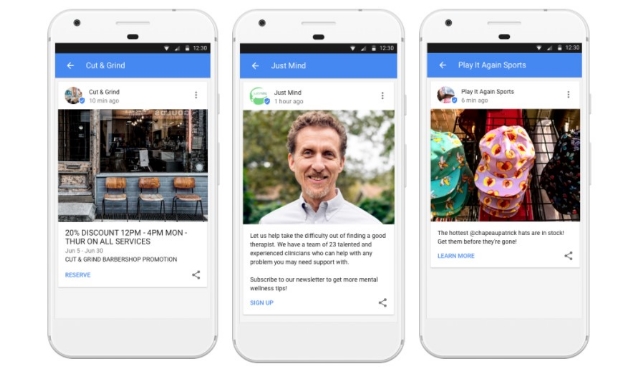
That’s all changing now, though. Google released a new feature this week called Google Posts for all businesses with a Google My Business Listing. With Google Posts, you can finally share your message on search results without the costs of ads or hit-and-miss nature of social media.
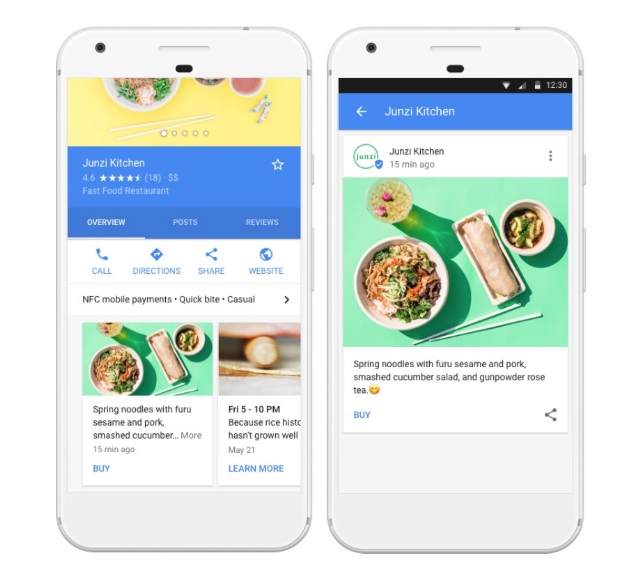
Any time you share a Post, it will appear in search results and Google Maps pages that include your business listing. The message will initially be just a small snippet, but searchers can expand it with a single tap to read more.

There are potentially limitless ways businesses can take advantage of the new feature. Specifically, Google suggests getting started by updating customers with information about new sales, upcoming events, and new product launches to build excitement.

In addition to your customized message, you can also include photos and custom calls-to-action to encourage making a reservation, signing-up for your newsletter, or linking to your latest special offer.

Google Posts are already available to any business with a verified Google My Business account. You can get started sharing your messages and customizing your listings now from any desktop, iOS, or Android device.

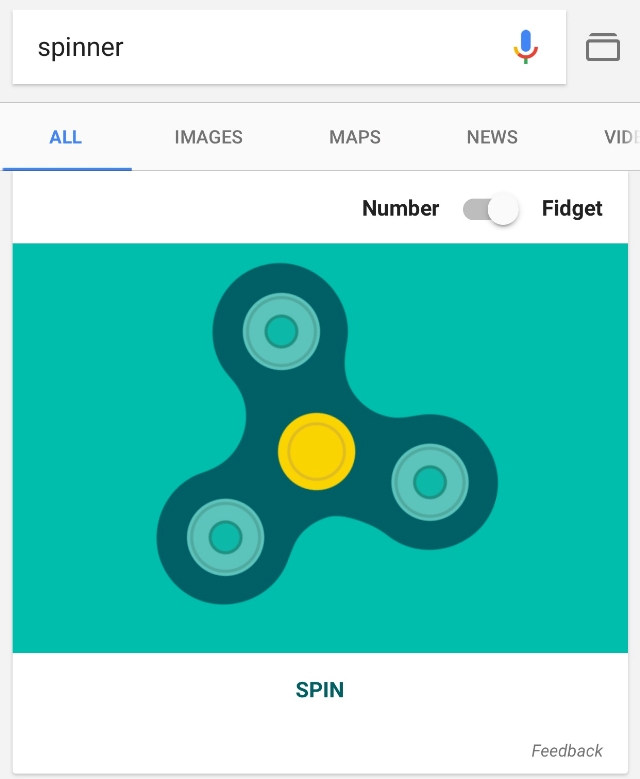
It seems like everybody these days is going crazy about fidget spinners, especially teens. Well, you can save yourself a few dollars – if you haven’t already bought one. These “spinners” are now just a search away, thanks to Google’s latest Easter egg.

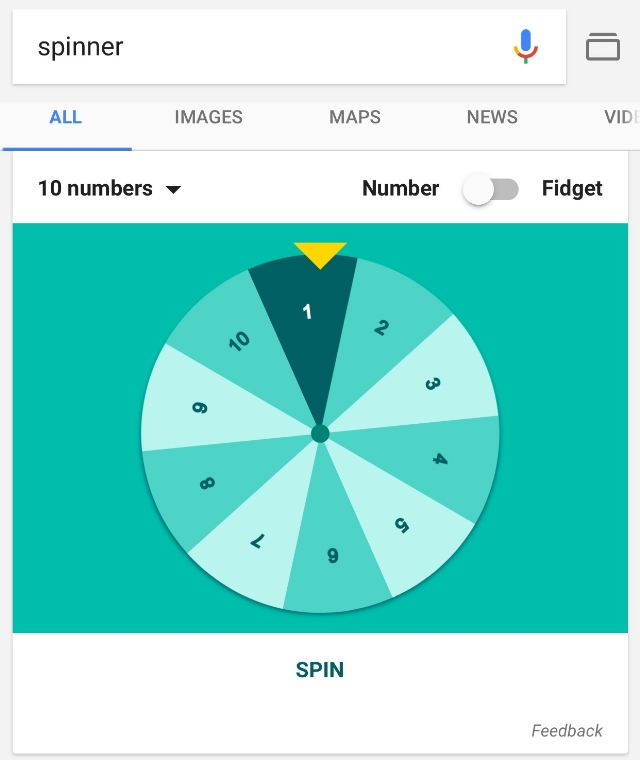
By searching “spinner”, you can play with a virtual version of the fidget spinners that are everywhere.

Technically, there are two different spinners available. There’s the classic spinner that’s become so ubiquitous it is getting banned in schools, as well as one with up to 20 spinning numbers. Aside from Dungeons and Dragons players who forgot their 20-sided dice, I’m not totally sure who that’s supposed to be for.

Fidget Spinner

Google’s fidget spinner functions pretty much exactly as you would expect. You can swipe either direction to send it spinning, or just tap the convenient “spin” button to watch the thing go. It will match however fast you spin it and stop when you tap.

Number Spinner

Unlike the fidget spinner, this option is more like something you’d see on a game show. You swipe to send it spinning, and it eventually comes to a stop on a specific number. You can choose to customize the wheel with between 2 and 20 numbers, making it a sort of limited number generator.

Whether you love or hate spinners, there’s no denying how popular they are. Once Google puts you in the search results, you know you’ve made it!

Do you have a website for your business? If you’re like 60% of small business owners around the world, the answer is no. Whether it is because you lack the expertise or can’t afford it, Google wants to help.

This week, Google officially released a simple one-page website builder designed to make getting your brand online quick, easy, and (most importantly) free.

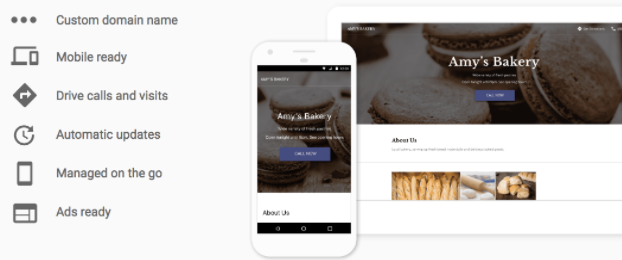
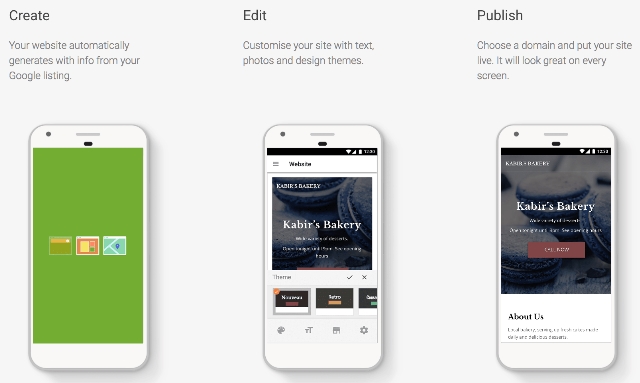
The new feature, called “Website”, allows you to create and edit a basic website for your business in just a few minutes. You can even make your site on a smartphone, as well as from a desktop device or tablet.

Website is being touted as a new part of Google My Business, meaning you will have to sign-up and fill out business information before you can use the tool. However, this also makes the process of making a site easier, since Google automatically uses this information to fill out your website. From there, you can customize it with a selection of themes, pictures, and customizable text.

If you don’t already have a GMB listing for your business, Google will automatically ask if you’d like to create a site when you sign-up. Those with existing listings on GMB can click the “Manage location” tab and select Website from the menu to get started. You can also skip right to making your website by clicking here.

The process is extremely simplified. Google will walk you through the steps and you can spend as much or as little time as you want tweaking your page before publishing it onto the web. You don’t even have to worry about hosting.

Any sites made with Website will have a URL following the structure “yourcompanyname.business.site” by default, but you can also purchase a custom domain through Google My Business within the Settings menu.

Once your website is online, any changes you make to your GMB listing will automatically be applied to your website as well.

Of course, the tool is designed to be used for very basic websites and lacks many of the features you would expect from a more comprehensive website management system. You won’t be able to create additional pages to highlight specific products or services, let alone operate a blog or robust sales page. On the upside, having a simple website for free is still better than nothing at all.

Google’s decision to constantly make their search results more personalized for every user has often been criticized for veering into the “invasion of privacy” area from time to time. Its latest experiment takes that to the extreme, with a whole new tab devoted just to you.

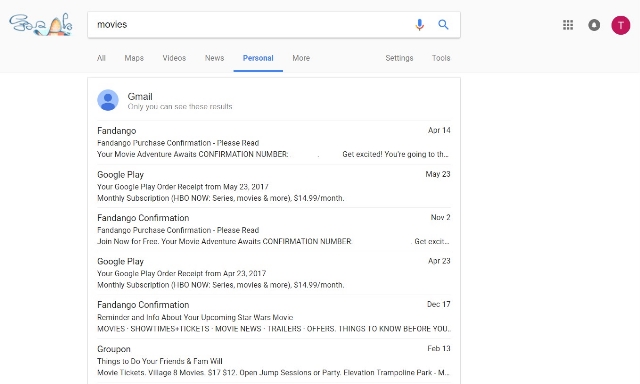
The search engine now allows you to filter search results for your personal information collected from Google’s apps, including Gmail, Photos, and Calendar.

The new experiment can be found for most users by clicking “More” on the search results page, which will drop down a list of search options. Click “Personal” and you’ll find only information directly related to yourself, such as events you have in your calendar or recent emails.

Most of this isn’t too eye-raising. It could even be useful in the right circumstances. Where it starts to get weird is when you search for pictures. The personal search feature finds photos that are not necessarily on the device you’re using. It also finds pictures based on the content, even when you haven’t labeled the picture.

To give you an example, I’ve taken a lot of photos of my cat on my phone. I’ve never labeled any of them as being of my cat or shared them to my computer. But, when I search “cat” within the results, I am shown my collection of pictures of my cat Magnitude.

Like this picture

The tool can also be used to find photos of people you know on your phone, as Kevin Murnane reports for Forbes.

Unsurprisingly, the “Personal” search results tab also includes ads at the bottom of the page. Reports vary between one and three ads on any personal page.

Since it is just an experiment, there is no telling whether the feature is around to stay. It first appeared a few days ago, but went offline for a period before reappearing today. It has only been spotted on Chrome for desktop devices, but it could be rolled out to other devices at some point. It could also be removed entirely, if people respond negatively to having Google snooping through their emails.

Guest posting has become a staple of online marketing. It allows you to get those coveted links that will help you rank higher on search engines AND spread your message to a wider audience. Plus, it makes you look like a bigger authority in your field.

Unfortunately, when there is something that good, people will always try to take advantage of it. There has been a rise recently in the sites using guest posts to spread spammy links or cheat their way to higher rankings. It has become such a problem, Google had to issue a staunch warning to anyone trying to misuse guest posts.

As Google explains:

Google does not discourage these types of articles in the cases when they inform users, educate another site’s audience or bring awareness to your cause or company. However, what does violate Google’s guidelines on link schemes is when the main intent is to build links in a large-scale way back to the author’s site.

The search giant does specify a few factors you should be wary of when guest posting:

  • Stuffing keyword-rich links to your site in your articles.
  • Having the articles published across many different sites; alternatively, having a large number of articles on a few large, different sites.
  • Using or hiring article writers that aren’t knowledgeable about the topics they’re writing on.
  • Using the same or similar content across these articles; alternatively, duplicating the full content of articles found on your own site (in which case use of rel=”canonical”, in addition to rel=”nofollow”, is advised).

Basically, if you are doing guest posting in good faith, you probably aren’t in danger. You have to go out of the way to start using spammy practices or pumping out low-quality content. However, if you are breaking any of these rules you put yourself at risk of being punished and losing your high rankings.

Conversely, if you are being harassed by a spammy content creator to publish bad content, Google says you can submit a complaint via the spam report form.

Do you have a search box or form on your website? Are you still using HTTP for your site? If so, you may want to begin the process of switching to HTTPS sooner rather than later.

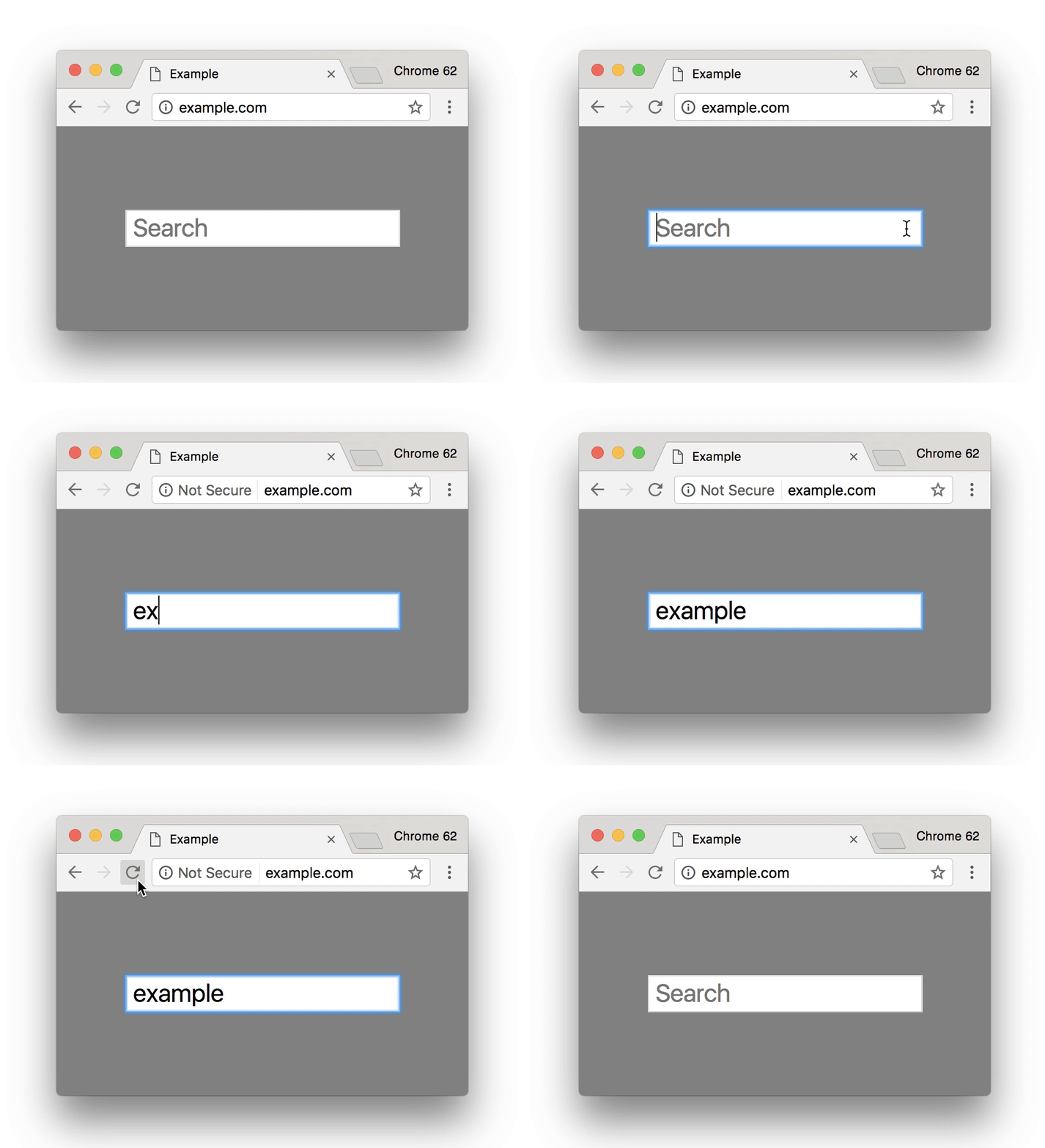
Google says it is preparing to launch new efforts within their Chrome browser to encourage webmasters to migrate to HTTPS, the newer, more secure security certificate for websites. Beginning I October, the browser will begin showing warning messages to visitors on pages with search boxes or forms.

As Google says, “[in] October 2017, Chrome will show the ‘Not secure’ warning in two additional situations: when users enter data on an HTTP page, and on all HTTP pages visited in Incognito mode.”

You can preview what the warning will look like in the gif below:


The warnings are just the latest effort by Google to encourage the adoption of HTTPS. Just recently, Chrome warned webmasters that pages with logins are now required to use HTTPS.

The end goal for Google is to mark any web page using HTTP as insecure, but it could be a lengthy process.

HTTPS
Between the countless public hacks, identity thieves, and an increasing awareness of how vulnerable personal information is, protecting customer’s personal data has become a hot-button topic over the past year.

Perhaps this may be why an increasing number of sites are switching to the more secure HTTPS web security protocol. In fact, a new report from Moz suggests the more than half of first page listings on Google are using HTTPS.

While Google has suggested site security could potentially influence a website’s ranking, Moz says the steady growth of HTTPS suggests the rise is more likely attributed to sites making the switch – not an algorithm update. Google has also stated that it has no plans to increase the weight of HTTPS on rankings in the future.

To verify the findings, Moz worked with Rank Ranger who produced almost the exact same results using its system.

Dr. Pete Meyers, who reported the findings for Moz, believes up to 65% of front page results on Google could be using HTTPS by the end of the year. This is entirely possible, given that Chrome is set to begin marking non-HTTPS pages as non-secure if they ask for personal information such as a password or credit card information.

Interestingly, the growth of HTTPS appears to be fairly equal across markets. The results suggest approximately half of the biggest names in Google search results have adopted the security protocol, while newer pages are using HTTPS because it is inexpensive and easy to use.

If you’re a business investing any amount of your budget into online marketing, there’s a good chance you are running ads on Google. So, it may raise your eyebrows to learn the company operating one of the largest online ad platforms is about to release a new feature that will block ads on Chrome.

Indeed, Google is updating its web browser to block ads by default. However, it appears Chrome’s ad blocker will only filter specific types of ads which are considered “unacceptable” by the Coalition for Better Ads standards.

As the original report about the new feature from The Wall Street Journal explains:

“Unacceptable ad types would be those recently defined by the Coalition for Better Ads, an industry group that released a list of ad standards in March. According to those standards, ad formats such as pop-ups, auto-playing video ads with sound and ‘prestitial’ ads with countdown timers are deemed to be ‘beneath a threshold of consumer acceptability’.”

The news makes it fairly certain that Chrome’s ad blockers will be significantly less aggressive than many third-party options, but it is unclear exactly how it will work. It is possible the site may only block specific offending ads, but the report indicates Google is also considering blocking ads across an entire site if any ads are deemed unacceptable.

In other words, play by Google’s rules or have all your ads on your site blocked.

Many consider the news that Google is preparing an ad blocker to be a surprise, but there is a reasonable argument for the decision. The rise of ad blocker usage isn’t going away, with many citing malicious, aggressive, or annoying ads as their primary reason for using a third-party blocker.

By taking a proactive action to block offending ads by default, the company may be able to pull some users back from blocking all ads entirely. That means the typical ads across their platform would continue getting shown and generating revenue instead of being removed by a third-party app.

There are a lot of questions about how exactly the ad blocker will function, but the WSJ says you can expect to learn more about the feature “within weeks.”

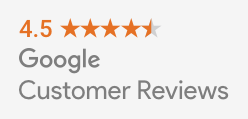
Last month, Google told the world it would be shuttering its Google Trusted Stores program, its long-standing ratings and certification program. Well the time has come, as the program said farewell this week. In its place, Google has launched “Google Customer Reviews” – a new ratings program that aims to be more accurate and valuable to consumers.

Customer Reviews vs. Google Reviews

The launch of the new program has brought some confusion, as Google now has two separate ratings systems.

The classic ratings system allows users to leave reviews and ratings on any business’s listing. These “Google Reviews” are then aggregated into the search results. While the system mostly works, there is one big issue – literally anyone can leave a review, whether they’ve been to your business or not.

With “Customer Reviews”, Google is aiming to make reviews more accurate and reliable by only allowing those who have legitimately made a purchase from the business’s website. That means no trolls bringing down your rankings, but the new program really only works for online retailers.

image01

After you’ve collected some reviews, you can highlight your high rankings on your site with a customizable badge.

Notably missing from the program is the customer protection aspect of the Trusted Stores program. Online businesses will have to turn to other certification programs to help prove they are a legitimate and reputable business.

How To Join Google Customer Reviews

Businesses that were already participating in the Trusted Stores program have been automatically migrated over to the new program.

If you’re an online merchant who isn’t already participating in the program, follow these four steps:

  1. Sign into or sign up for a Google Merchant Center account.
  2. Select “Merchant Center programs” from the dropdown menu in the upper-right corner.
  3. Click “Get Started” within the Google Customer Reviews card and accept the Program Agreement.
  4. Add the survey opt-in code to your site.

Once you’ve gotten all set up, you can put the badge code for displaying your seller rating anywhere you want on your website.

google-my-business-1

Have you ever given a marketing company control of your Google My Business accounts and listings so they can help manage your local marketing? Have you ever tried to get your account bad after you decided to part ways?

It has been notoriously difficult and time-consuming to regain ownership of your Google My Business listings in the past, but Google has launched a new feature to streamline the process.

If you’ve been unable to reclaim your listings, you can now start the verification process to prove you are the rightful owner or representative for your listings with just a few steps:

  • Go to Google My Business.
  • Log in with the Google account you use to manage your business.
  • Enter the business name or address and select your business from the search results.
    • There is a chance you may see text showing part of the email address that originally verified the listing. If you control this email address, you can sign into that account to access your business listing.
  • Complete and submit the form.
  • Google will contact the current owner of the listing asking them to contact you. In the meantime, you will receive a confirmation email with a link to check the status of your request.
  • Allow seven days for the current owner of the listing to respond to the request. If they do not respond within a week, you will be able to verify your affiliation with the business and regain control of the corresponding listings.